In a major relief for those who were anxious over Aadhaar data security and its implications, the Supreme Court in a landmark verdict ruled that unique identification number would not be needed for opening bank accounts, admission to schools or for getting mobile phone connections. Even as the apex court upheld the validity of Aadhaar, saying sufficient security measures were taken to protect data, it also asked the government to provide more security measures and also reduce the period of storage data.
This will come as a major relief, as people were required to submit Aadhaar numbers to get new mobile connections or to continue using their current mobile connections. The apex court also declared that Section 57 of the Aadhaar Act as ‘unconstitutional’ and struck it down. Section 57 of Aadhaar Act talked about how private companies could also access Aadhaar data.
Here's how SC verdict on Aadhaar will affect you:
* Digital wallets like Paytm or Amazon Pay Balance cannot demand Aadhaar data from customers in order to do a verification and allow them to continue using the services.
* Telecom service providers like Bharti Airtel, Reliance Jio, Vodafone and others can no longer force users to link their Aadhaar card to their current mobile number
* Aadhaar for school education would not be necessary
* You do not need Aadhaar to sit for government job exams or UGC, CBSE, NEET.
So, now that Aadhaar is not mandatory for digitalo wallets and mobile connections, do you wish to delink it?
If so, here's a guide to unlink your Aadhaar number from Paytm, bank accounts and mobile connections:
Mobile wallet: In case a customer wishes to unlink Aaadhaar number from payment wallet such as Paytm all you have to do is follow these steps
Step 1. Call Paytm customer care: 01204456456
Step 2. Ask them to send you an e-mail to unlink your Aadhaar.
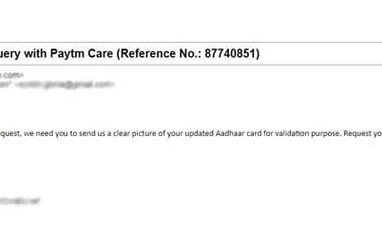
Step 3. You will then receive an e-mail from Paytm, which will ask you to attach a clear softcopy of your Aadhaar. You may get a message like "Dear Customer, in order to process your request, we need you to send us a clear picture of your updated Aadhaar card for validation purpose. Request you to share the same with us."
Reply to the mail with the picture of your Aadhaar card.
Step 4. Paytm will then send you a mail confirming that your Aadhaar will be unlinked within 72 hours.
Step 5. Do check with Paytm if your Aadhaar has been delinked or not.
Delink Aadhaar from your bank account
Unfortunately, you cannot delink Aadhaar from your bank online. Customers will have to visit their bank branch.
Step 1: Visit your bank branch
Step 2: Ask the customer service to give you a physical form to unlink Aadhaar.

 "Here's how to delink Aadhaar from digital wallet, bank: Step-by-step guide")












 Connect with us on WhatsApp