JioPhone and JioPhone 2 are 4G-enabled feature phones launched by Mukesh Ambani-owned Reliance Jio Infocomm to provide internet-related services to Indian masses. Both the Jio phones are meant to offer smartphone-like experience. However, at the time of their launch, both the phones lacked some of the most commonly used apps, including WhatsApp. The instant messaging app is now available on newer versions of both phones, but users of the old ones might still need to download the app from the app store. Here is a quick guide on how to download and install WhatsApp on JioPhone and JioPhone 2:
How to update JioPhone firmware to the latest version
Step 1: Connect the phone to the internet using WiFi or network data
Step 2: Go to the phone’s settings
Step 3: Use the right navigation key to move to the ‘device’ option
Step 4: Under device settings, look for the ‘about phone’ option and click on it
Step 5: Under about phone, scroll down to the software update option and update the phone’s software to the latest version compatible with WhatsApp.
How to download and install WhatsApp
Step 6: After updating the phone’s software, go to the phone’s app drawer
Step 7: In the app drawer, scroll down and look for Store or JioStore app

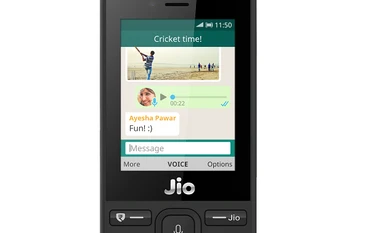 "How to download and install WhatsApp on Reliance JioPhone, JioPhone 2")










 Connect with us on WhatsApp