How to transfer Google Play Music library to YouTube Music using smartphone

Google Play Music is in its final phase before it retires from the music streaming services space later this year
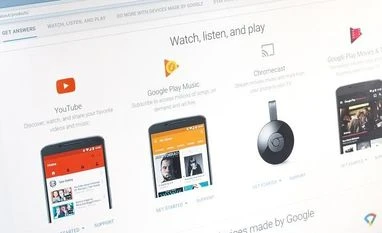
Google services
Here is how to transfer Google Pay Music library to YouTube Music Photo: Shutterstock
Khalid Anzar New Delhi
3 min read Last Updated : May 13 2020 | 9:51 AM IST

Don't want to miss the best from Business Standard?

It is known that the Google Play Music is in its final phase before it retires from the music streaming services space later this year. There are several reasons for the service to permanently phase out but majorly it is because of the availability of YouTube Music, which seems to be a better proposition to take on other music streaming services like Spotify and Apple Music.

Ideally, Google Play Music should have been integrated with the YouTube Music right from the beginning. However, Google decided to do otherwise and there was no way to bring the Google Play Music library onto YouTube Music. Not until now. Now, before finally phasing out the Google Play Music, the company has enabled import option on YouTube Music that allows its users on Google Play Music to transfer entire Google Play Music library over to YouTube Music.

Here is how to transfer Google Pay Music library to YouTube Music:

The import option on YouTube Music is a new feature that is making way to consumers in phased manner. Therefore, not everyone would find it but sooner or later it will be available for everyone. If you have a YouTube Music app on your smartphone, the process is fairly simple and the transfer happen in the background. Here is how to do it:


Step 1: Open the YouTube Music app (iOS/Android). Make sure your app is on the latest version by updating it from Play Store or App Store.

Step 2: Make sure that both the YouTube Music app and Google Play Music app are connected with the same Google account. Otherwise, the transfer will not be possible

Step 3: Look out on the app’s home page banner, where you get the option to transfer your Play Music library. Click on the button to start the process.

Step 4: Press on ‘Let’s Go.’ button to start the process. The YouTube Music app will show what all will be transferred from Google Play Music, including your uploads, purchases, songs and albums, personal and subscribed playlists, likes and dislikes, curated stations and personal taste preferences.

Step 5: Tap on ‘Start Transfer’ button available at the bottom and the process begins.

The YouTube Music app shows the progress of the transfer. You can minimise the app and keep it in background, if need be, and the transfer continues in the background. Once the transfer is complete, Google notifies you via email and notifications.

And if you are a podcast listener, you can visit this web page and transfer your subscriptions and episode progress to Google Podcasts with a single click. Google Podcasts is an independent service available for free on Android and iOS, and accessible from Google Assistant, Google Search, and Google Home.

One subscription. Two world-class reads.

Already subscribed? Log in

Subscribe to read the full story →
*Subscribe to Business Standard digital and get complimentary access to The New York Times

Smart Quarterly

₹900

3 Months

₹300/Month

SAVE 25%

Smart Essential

₹2,700

1 Year

₹225/Month

SAVE 46%
*Complimentary New York Times access for the 2nd year will be given after 12 months

Super Saver

₹3,900

2 Years

₹162/Month

Subscribe

Renews automatically, cancel anytime

Here’s what’s included in our digital subscription plans

Exclusive premium stories online

  • Over 30 premium stories daily, handpicked by our editors

Complimentary Access to The New York Times

  • News, Games, Cooking, Audio, Wirecutter & The Athletic

Business Standard Epaper

  • Digital replica of our daily newspaper — with options to read, save, and share

Curated Newsletters

  • Insights on markets, finance, politics, tech, and more delivered to your inbox

Market Analysis & Investment Insights

  • In-depth market analysis & insights with access to The Smart Investor

Archives

  • Repository of articles and publications dating back to 1997

Ad-free Reading

  • Uninterrupted reading experience with no advertisements

Seamless Access Across All Devices

  • Access Business Standard across devices — mobile, tablet, or PC, via web or app

Topics :GoogleYouTubeMusic streaming apps

Next Story



