Microsoft has released the Windows 11 2022 Update, the latest version of its operating system for PCs and laptops. It is the first major update to Windows 11, which was launched last year. The company confirmed that the update has been rolled out in 190+ countries, including India.
Windows 11 2022 Update: What is new
The update brings more layout and grids in the Windows snap layouts feature the helps the user to multitask by opening multiple windows at the same time. It also includes focus sessions and do not disturb, which silences notifications, and turns off application notifications in the taskbar. Besides, there is Windows studio effects to improve video and audio calls. Microsoft has also added Clipchamp video editing to the package with the update.
In partnership with Amazon, Microsoft expands the Amazon Appstore Preview to international markets and brings more than 20,000 Android apps and games to Windows 11 devices. This update will deliver features like auto HDR and variable refresh rate on windowed games to improve latency.
New accessibility features include a system-wide live captions option, to automatically generate captions from any form of audio content on Windows 11. It also offers voice access, which allows users to control their PC and author text using only their voice. Smart App Control blocks untrusted or unsigned applications from running on Windows 11 and predicts the safety of an application in real time.
Windows 11 2022 Update: How to get it
Users with eligible devices running Windows 11, version 21H2, can install the latest version by following steps:
Step 1: Go to 'Settings', and click on 'Windows Update'
Step 2: Then select 'Check for updates'
Step 3: If you are ready to download the update, click on 'Download and install'
Note: Make sure to keep your PC on and plugged in during the installation. After your PC downloads and installs the update, you'll need to restart to complete the experience.
Users running Windows 10, can check if their device is eligible (i.e., meets the minimum system requirements for Windows 11) to upgrade using the PC Health Check app. To check if their specific device is ready for update they can do so by following steps:
Step 1: Go to 'Settings', and click on 'Update & Security'
Step 2: Select 'Windows Update', and 'Check for updates'
Step 3: If the upgrade is ready, the option to 'Download and Install' will appear
Step 4: If you are ready to install Windows 11, select 'Download and install' and accept the software license term to continue
Microsoft confirmed that a few updates will be coming next month, including an updated photo management app to simplify browsing, finding, management and consumption of photos. Taskbar will offer an overflow menu that allows you to view all your overflowed apps in one space.

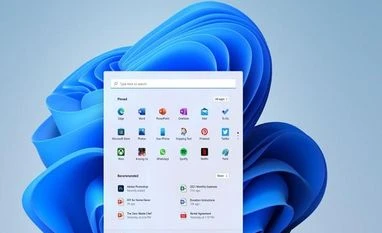 "Microsoft rolls out Windows 11 2022 update: What is new and how to get it")












 Connect with us on WhatsApp