Ok Google! Let's see what you've got
A peek at Google Now's features that help users in their daily tasks
Nitin Sreedhar As smartphones get smarter and smarter, user demands also seem to increase rapidly. These days we want our smartphones to do absolutely everything. Wishful thinking, but this is where intelligent personal assistants in smartphones come to the fray. There's Apple's Siri; Samsung has SVoice, LG's Voice Mate and then there's Google Now. Rest assured. This is not a comparison, rather an insight into what all Google's new scion is capable of. Released in July 2012, Google Now has taken significant strides towards achieving a cult status among Android users. It is integrated with Google Search and Voice Action, and uses a language user interface to perform actions.
We bring you five daily tasks you should undoubtedly try with Google Now.
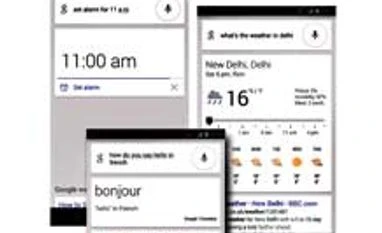
Set that alarm This is one task we all want our phones to do. Doesn't matter if it's a cut-price phone or a high-end flagship - setting the alarm in the phone has become a full-blown trend. Command: "Set alarm for 7 am". There is no need for you to go to the Clock settings and set an alarm. You can even set a label to the alarm by speaking out the task. For example: "Set alarm for 7 am… prepare breakfast".
Translating it right Translation was never this easy. Just speak the word or phrase you want to translate. For example, Command: "Good morning in French". And there's your answer, Bonjour. The use of Google Translate here is immense and the pronunciation by the voice assistant immaculate.
Sporty side up
This one's for all those who like to keep abreast of the latest happenings in the world of sport. Speak the name of your favourite team and Google comes up with the result of their last match and details about their next fixture. Also available is the latest news related to the team.
For example, Command: "Manchester United".
Weather check
Mid-January, and it tends to get nippy everyday. It would be good if you could know how much the mercury has fallen, wouldn't it? Command: "Weather forecast"; "Weather in Delhi". These commands allow you to see the current temperature and the weather forecast for the next six days, complete with the amount of precipitation, humidity and wind speed. Weatherman ahoy!
SMS: Speak and send
Now this one's probably the most effective task. In case of emergencies, when you can't touch your Android device, you can speak out the name of the contact and then speak out the message. Google types out your message and sends it. A basic task but it comes in handy. For example, Command: "Text Papa… Stuck in traffic".
Tailpiece: All these commands were carried out on the Nexus 5. So, user experiences may differ depending on the device. Also, it is important to have an active data plan, preferably a 3G connection. The stronger the internet connection on your device, the faster the response. And there is a long list of phrases and commands that can be used in Google Now - from seeking directions to asking when the sun rises and sets. It feeds of your recent searches. So, it's all about experimenting!

 "Ok Google! Let's see what you've got")


 Connect with us on WhatsApp