Nothing rolls out Android 15 update to Phone 2, Phone 2a: Check what's new
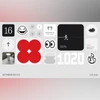
Nothing OS 3.0 brings a new native gallery app, shared widgets feature, and a new AI-based app organising tool
Harsh Shivam New Delhi British consumer technology brand Nothing has begun rolling out its Android 15-based Nothing OS 3.0 on select Nothing smartphones. The update introduces a native gallery app, new lock screen and home screen widgets, and an artificial intelligence-powered Smart Drawer that automatically categorises apps into folders for easier access. Here are the details:
Nothing OS 3.0: Availability
After beta testing the Android 15-based UI, Nothing has officially released the Nothing OS 3.0 update for Nothing Phone 2 and Phone 2a. The update is being rolled out gradually and will be available to all users in the coming days.
Nothing also announced plans to extend the Nothing OS 3.0 update to the Nothing Phone 1, Phone 2a Plus, and CMF Phone 1 in early 2025.
Nothing OS 3.0: Details
- Shared Widgets: The update introduces Shared Widgets, allowing users to display and interact with widgets from another person’s device directly on their home screen. Interaction is facilitated through reactions. Initially, this feature is limited to Nothing devices and supports Photo Widgets in a square format. The company plans to extend support to other widget types in the future.
- Native Gallery App: A dedicated gallery app is now available, offering advanced functionalities such as improved search options and enhanced editing tools. These include filters, markup features, and automated suggestions for better photo management.
- Lock Screen Enhancements: Lock screen customisation options have been expanded with an improved interface accessible via long press. Users can personalise their lock screens with updated clock faces and an expanded widget area, enabling instant access to more information.
- Productivity Widgets: New utility-focused widgets, such as a Countdown Widget, have been introduced to enhance productivity. This widget will be available via the Nothing Widgets app on Google Play later this month.
- Smart Drawer: The AI-powered Smart Drawer categorises apps into folders automatically, making organisation and accessibility more seamless. Favourite apps can be pinned to the top of the drawer for quick access.
- Quick Settings: The Quick Settings menu has been revamped with a more user-friendly layout. Updated visuals in the widget library and Settings menu improve usability, especially in sections like Network & Internet and Bluetooth.
- Camera Updates: The camera experience has been refined with faster widget-based access, reduced HDR processing times, and improved portrait effects that adjust blur intensity based on subject size. Additionally, low-light performance has been enhanced, and the zoom slider now features a redesigned display for easier use.
- Improved Pop-up View: Multitasking has been made smoother with an upgraded pop-up view that allows resizing by dragging the bottom corners and pinning to the screen edge for quick access. Notifications can be previewed by swiping down within the pop-up, without exiting the current app. This feature can be enabled under Settings > System > Pop-up View.

 "Nothing rolls out Android 15 update to Phone 2, Phone 2a: Check what's new")


 Connect with us on WhatsApp