
Decoded: All that Google's Bard Extensions does and guide on how to use it
With Extensions, Bard can help you multitask without the need to open multiple windows and apps
 "Decoded: All that Google's Bard Extensions does and guide on how to use it")
WebinarsNew
Deep DiveNew
Explore Business Standard
With Extensions, Bard can help you multitask without the need to open multiple windows and apps
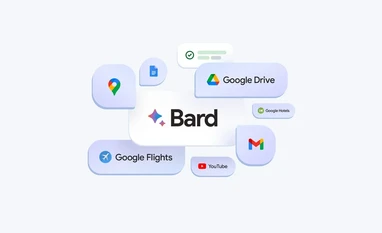
On September 19, Google announced a new set of features for its generative-artificial intelligence (AI) chatbot, Bard. One of the most significant additions is Extensions, which enables Bard to integrate with various Google tools and services, including Maps, YouTube, Drive, Docs, and Travel with Google (flights and hotels). This integration allows Bard to retrieve relevant information and provide personalised answers in a conversational, easy to understand manner.
For context, Bard is an experimental AI chatbot that simulates human conversations using machine learning and natural language processing. Based on Google's transformer-based pre-trained large language model, Bard draws information from both its dataset and the web to generate responses. With Extensions, Bard can now also access information from Google apps to enhance the user experience.
With Extensions, users can link Bard to the Google apps and tools they use, such as Gmail, Google Drive, Google Docs, Google Maps, Google Flights, YouTube, and more. Essentially, Extensions grant Bard access to users' data to inform its responses.
For example, if you are planning a trip with friends from Delhi to the backwaters in Kerala, you can ask Bard to find suitable dates for everyone from Gmail, check real-time flight and hotel information, get Google Maps directions to the airport, and watch YouTube videos about things to do in that area — all within a single conversation.
It is important to note that Extensions are currently available only in English.
Regarding privacy and the protection of users' personal information, Google said, "We are committed to safeguarding your personal information. If you choose to use Workspace extensions, your content from Gmail, Docs, and Drive will not be viewed by human reviewers, used by Bard to display ads, or utilised to train the Bard model. Additionally, you have full control over your privacy settings when deciding how to use these extensions, and you can disable them at any time."
How to enable Extensions in Bard
First up, you need a Google account to access Bard. So, create a Google account if you don’t already have one or sign in using your existing personal Google account. (Google workspace accounts do not support Bard in India yet.)
Next, open the Bard website. The Bard interface on web has been updated to reflect Extensions through a Lego-shaped icon visible on the top-right corner of the window, alongside the settings and help options. Clicking on it takes you to a window with Google apps available for integration. You can decide which apps to allow permission to. By default, all apps are enabled for integration, except for workspace apps such as Gmail, Drive, and Docs.
Once done setting up the Bard integration, you can click on the “New Chat” option on the left to start using Bard with access to data from selected Google apps.
Double check with ‘Google it’
Apart from Extensions, Google has introduced a "Google it" button in Bard's interface, allowing users to double-check its responses. This feature is available for responses in English. Bard will read the response and assess whether there is related web content available to substantiate it.
For easy reference, users can click on highlighted phrases to learn more about supporting or contradictory information found through a web search.
First Published: Sep 20 2023 | 3:03 PM IST


 Connect with us on WhatsApp