Microsoft has announced a new AI-powered Windows Search feature for PCs based on the Copilot Plus platform. Designed to make local search more intuitive, the feature improves accessibility to files and system settings. It is currently available as a preview for select Windows Insiders using Qualcomm Snapdragon-powered Copilot Plus PCs.
Copilot Plus PC: Improved Windows Search
The updated Windows Search integrates semantic indexing alongside traditional methods. Semantic indexing allows the system to interpret the meaning of words and phrases, simplifying the search for files within the system.
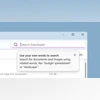
With this feature, users can locate files and images using descriptive phrases instead of remembering exact names or content. For instance, queries like "bridge at sunset" or "Europe trip budget" in the Windows taskbar search box can retrieve relevant images or files. Users can also employ natural language phrases to search for specific system settings.
The feature runs entirely on-device, utilising the Neural Processing Unit (NPU) built into Copilot Plus PCs. Initially limited to local files, the search functionality will soon expand to include cloud storage services like OneDrive. Currently, settings search is accessible only through the search bar within the Settings app but will eventually integrate with the taskbar search box. The feature will also roll out to Intel and AMD-powered Copilot Plus PCs in the future.
The new improved Windows Search feature currently supports the following languages and file types:
Languages: Chinese, English, French, German, Japanese, and Spanish
Besides the new Windows Search feature, Microsoft has also rolled out more new features to Copilot Plus PCs. This includes a new "Refine" writing tool for Click to Do. The Click to Do feature allows users to interact with text and images from snapshots that have been saved for the Windows Recall feature. The new Refine option is essentially an AI-powered writing tool that helps users refine rewritten text from snapshots.

 "Microsoft brings AI-powered Windows Search to Copilot+ PCs: What is it")


 Connect with us on WhatsApp