Home / Technology / Tech News / Samsung rolls out Bixby Text Call in India: What it is, how it works & more
Samsung rolls out Bixby Text Call in India: What it is, how it works & more
With this feature, users can let Samsung's voice assistant Bixby answer phone calls for them. Here is everything you need to know about the Samsung Bixby Text Call feature
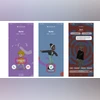
Once the feature is enabled, users will be able to see a Bixby Text call option when they receive a phone call
South Korean electronics maker Samsung has launched in India Bixby Text Call feature for select Galaxy smartphones. With this feature, users can let Samsung’s voice assistant Bixby answer phone calls for them. Here is everything you need to know about the Samsung Bixby Text Call feature:
What is the Bixby Text Call
On select Galaxy devices, users will get the option to respond to an incoming phone call using Bixby’s automated voice. Users can simply type in response or select quick response options, which will be read out by Bixby to the caller.
How it works
Once the feature is enabled, users will be able to see a Bixby Text call option when they receive a phone call. Choosing to pick up the call via this method will let the caller know that the user is using an automated voice response. Bixby will ask the caller their identity and the purpose for the call. Once the caller begins speaking, the user will see a transcribed response on the phone screen. Users can either use a quick response or type what they would like to say and Bixby will read out the message to the caller. If the user wishes to switch to a voice call midway through the call, they can tap on the voice call icon.
Voice conversation logs generated during a Bixby text call are stored in the Phone app and can be accessed later through the speech bubble icon that appears in the recent call section. Users can also choose to delete the recorded transcription from the call log.
It should be noted that the Bixby Text call feature can be only used during incoming calls.
How to set up
Open the Phone app on a supported device and tap on more options to go to settings. Next, tap on the Bixby text call option to enable/disable the feature. If you have not installed a language package on your device you will be prompted to download it. Tap on the download option on the pop-up, which will redirect you to the Galaxy store where you can install the language pack.
You can also change language and voice settings for the Bixby Text Call from settings after you enable the feature. However, the Bixby Text Call currently supports English only.

 "Samsung rolls out Bixby Text Call in India: What it is, how it works & more")


 Connect with us on WhatsApp