


Best PDF Editors to Edit PDF for Free
PDF editors are quite common among users in the market. This article features the best options in online free PDF editors that are available for use.
 "coco8")
coco8
The world has adopted various contemporary and computerized techniques for performing multiple daily tasks. These techniques have allowed people to maneuver various functions maintained across existing systems. Such has been observed in managing personal and professional documents around the world. People have considered consuming PDF files for managing their documentation across all formats.
The use of PDF files has developed into a very impressive way of sharing information with multiple across the globe. However, to allow consistent management of PDF files, the use of PDF editors has been highly promoted. There are various best free PDF editors that have popularized in the market. This article discusses a variety of online free PDF editor that can be considered by users of all levels.
How to Edit a PDF File Online?
Online PDF editing has been made possible by introducing various impressive tools from many developers around the world. The only required thing for these tools is an internet connection across any device available. With a proper connection, the user can perform all kinds of edits across their PDF files.
To understand how you can easily edit a PDF file across any convenient online PDF editor, you may follow the steps explained as follows.
Step 1: The user is required to import their PDF file from their computer. They can directly upload from cloud services. You may even share the URL of a PDF directly.
Step 2: You can practice various functions across the uploaded file using the PDF editor.
Step 3: The user can download the resultant edited file across their computer. They can also share the URL of the edited file directly, save it across the dedicated cloud storage or send it through email.
10 Best PDF Editors
There are multiple PDF editors present in the market that feature effective services in the form of proficient features. This part introduces you to the best free PDF editor that can offer the best services to their users.
1. CocoDoc
CocoDoc presents itself as one of the easiest ways to have a PDF edited across an online platform. This online PDF editing tool features one of the best sets of features that are available across any free PDF editor. Along with being recognized across major platforms, including Tech Advisor, Macworld, and Phandroid, etc., this tool has proved essential for millions of users. CocoDoc features one of the best editing features set in the market.
Its essential features include basic PDF editing, converting, and file compressing. However, with CocoDoc, users can also sign their documents for official purposes and resize multiple PDF files into a single file as per their convenience. Furthermore, the availability of saving files across the cloud makes CocoDoc an impressive choice in PDF editors.
There are significant qualities that are available for users in CocoDoc. Its OCR technology in reading documents and integration with various social networks allows people to manage their PDF files efficiently. Users can look forward to watermarking their PDFs easily and perform impressive functions such as rotating, deleting, and renumbering pages.
CocoDoc features its basic plan at $9/month, followed by premium and business plans at $12/month and $15/month, respectively which are billed annually. If you ever look to find the best PDF editor for your company, you can consider the enterprise plan offered by this platform.
Merits
-
You can initially enjoy CocoDoc with a 14-day free trial which will help you get hold of the functions.
-
Users can access a huge template library for designing different templates according to their requirements.
-
The platform is protected with a 256-bit SSL encryption that secures files present across.
-
CocoDoc provides users with cloud storage where they can save files to access them later.
Demerits
-
The user may face issues using CocoDoc if they will have limited internet connectivity.
2. DocuPub
Users who are looking for the simplest PDF editor for efficiently performing some basic operations across their document should consider using DocuPub. Although this tool may not outshine other PDF editors due to its simple structure, it can prove beneficial for a quick and seamless function. Users who wish to convert their files, merge, compress, or resize their PDFs should definitely consider this tool for once.
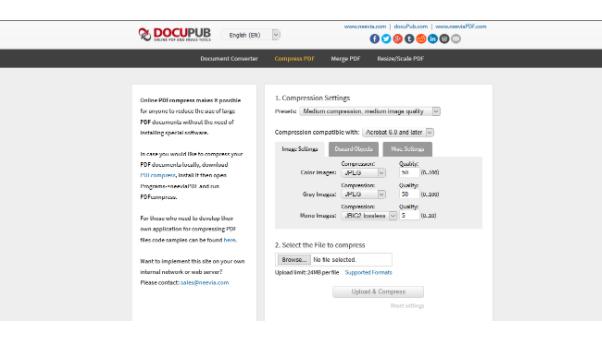
DocuPub helps users convert their files into all basic Office formats. Along with that, the user can perform all kinds of simple edits, which includes compressing and resizing their files. This can prove beneficial for them in sending files across different platforms easily. This tool is completely available for free, with no hidden charges that are to be paid by the users.
Advantages
-
The platform is very easy to use and requires no prior knowledge from the user.
-
It has certified SSL encryption that makes it authentic and secure.
Disadvantages
-
Users can only upload a file less than 24 MB in size for editing.
3. Apple Preview
Apple introduced its own PDF editor as the best alternative to any editor available online. With all basic editing features for its users, Preview regards itself as one of the best free PDF editor of all time. Mac users can easily manage their PDF files across the platform and present high-quality results with ease. Using Preview is extremely easy and convenient.
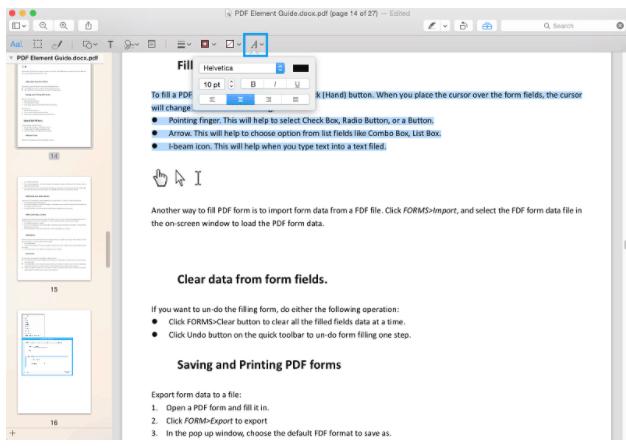
Preview is extremely capable of editing PDF files, where it allows users to easily edit their files with its accessible markup tool. Along with that, it also features image-editing tools with text selection. This helps people make all kinds of text and graphical edits to their files. It is quite the option in PDF editing with all kinds of basic editing features and features such as signing documents and selecting text within files.
This platform is completely free for macOS users, as it is installed on the device by default.
Pros
-
Available for free and installed on every Mac.
-
Provides a very extensive list of tools which includes image editing and annotation tools.
Cons
-
This platform is not available for other operating systems.
4. PDF2Go
This online PDF editing software features a very simple interface and extensive feature set, which makes it a proficient option in PDF editing. Although users may find a very similar toolkit across major PDF editing platforms, PDF2Go is highly promoted due to its simplicity. With no past technical expertise required, people can easily figure out where they have to edit, merge, compress, or protect their files.
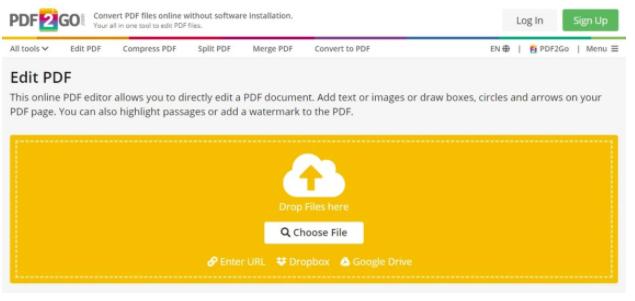
PDF2Go offers all kinds of basic editing to its users. They can carry out major features such as file compression and conversion in a variety of formats. This may include all basic Office file formats and formats like EPUB and DjVu. Although users can utilize PDF2Go with no prices to pay, they can have a better experience with the tool if paid $6/month.
Benefits
-
Users can upload files from their devices and different cloud storage. They can also share the URL of their PDF files.
-
Extremely easy to use.
Drawbacks
-
The user has to manually click through the pages to edit the PDF file.
5. Smallpdf
Smallpdf is another online free PDF editor that exempts all difficulties in editing PDF files. This platform fulfills all basic functionalities in PDF management with the aid of its extensive feature set. Its compelling interface makes it very easy for users to perform major edits across their PDF files. With all major editing tools, Smallpdf also helps its users compress, convert, and sign their documents.
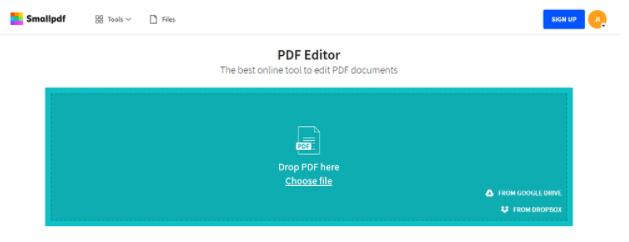
You can even look forward to protecting your PDF with the help of the features offered by the tool. There are no file-size limitations within the tool. However, the user can consider using this tool for free.
But if they wish to cover the file limitation process, they can consider opting for the pro or team plan for $9/month or $7/month in annual payment. The tool even offers a Business plan to work on.
Pros
-
A very powerful set of tools is offered in Smallpdf.
-
Users are provided free cloud storage to save their files.
Cons
-
There are no annotation tools with very limited font options.
6. PDF Candy
This PDF editor offers a very vast set of features with no prices to pay. PDF Candy is recognized among the top free PDF editors for its extensive feature set. Users can consider using its OCR feature for free, where it is not offered in many PDF editors in competition. PDF Candy has a very formidable set of conversion tools. It covers all its basic PDF editing operations with ease.
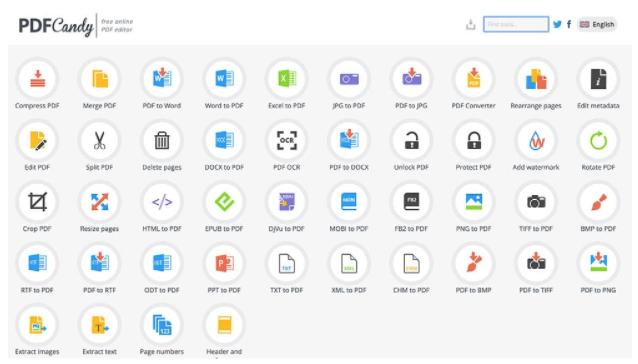
You can consider using the 44 explicit conversion and creation tools in PDF Candy. Its layout tools are regarded among the best in the market. This tool is also available for desktop users and can be bought for a certain price.
If the user continues to use its web version, they can pay $6/month or $4/month for Monthly or Yearly plans, respectively. However, they can always move towards its desktop tool with a one-time $99 payment.
Merits
-
Provides the OCR feature to its users.
-
Very easy to use with an extensive list of conversion and creating tools.
Demerits
-
Users are provided with a limited editing feature set.
7. PDFescape
PDFescape exempts all the necessities of creating accounts before editing PDF files online. This is regarded as one of the best free PDF editor for its extensive features with no prices to pay. Users can consider opting for its online version as well as its desktop tool according to their needs. The tool offers users to make freehand notes across their editable PDF files and even add clickable URLs within the files.
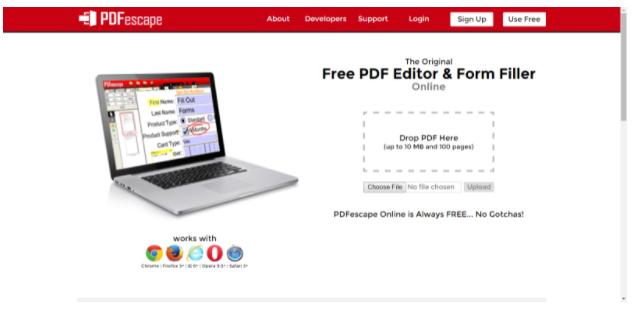
Along with all the basic editing across the PDF file, users can also perform other functions. This includes adding, rotating, and annotating the PDF documents within the platform. Users can also merge their files with ease.
For this, they can opt the premium plan available at $2.99/month. Users can even go for its ultimate plan at $5.99/month, making it exceptionally convenient as a PDF editor.
Advantages
-
Users can easily merge and edit files in its user-friendly environment.
-
It provides free service to its users across the web version.
Disadvantages
-
Users are restricted with a file size limit of 10MB.
8. Docfly
DocFly features one of the best PDF editing services in the online market to its users. It provides excessive options of amending and improving the quality of PDF documents to perfection. It not only guides users in reviewing and editing PDFs but helps them create and convert PDF files with ease. Users can also protect their files with the help of tempting techniques offered at DocFly.

The basic plan at DocFly allows people to manage 3 PDF files within a month without any price to pay. Its cloud storage keeps the file in its system for 24 hours. However, the user can always shift to its pro version that is available for $3.99/month, which also gives them a limited storage option. If the user wishes to shift for a better plan, they can always move towards the enterprise plan with their custom settings and prices.
Pros
-
Document organization is extremely simple with DocFly.
-
It creates a variety of images from PDF files in formats such as JPG, PNG, GIF, TIFF, and BMP.
Cons
-
Users are only provided the option of editing and downloading 3 PDF files in a month.
9. Sejda PDF Editor
Professionals and people who have extensive use of PDF files in their daily work should consider Sejda as their primary option in PDF editing. This free PDF editor provides users with a secure environment as it keeps uploaded files for only five hours. Its secure environment makes it a very effective option for users all over the market. The tool also provides a very user-friendly interface with easy availability of options in saving files.
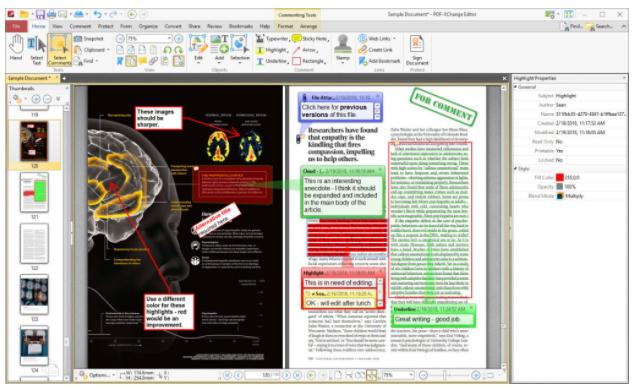
The user can directly save their files across cloud storage with Sejda. Its connected service makes it a very prime option in PDF editing. Along with that, the user can also perform various edits, including adding text, images, links, and signatures within the file. This tool is available for an expensive pricing plan starting from $5/week, $7.5/month, and $63/year.
Benefits
-
It offers a very simple interface to work with.
-
There is no need to make accounts in Sejda.
Drawbacks
-
You can upload files of a maximum of 50MB size and 200 pages of information.
10. PDF - XChange Editor
This tool is the best option for users who use Windows OS. PDF - XChange Editor is known for offering a very extensive toolkit to its users for editing PDFs. It allows them to edit, annotate, view, and digitally sign documents with ease.
The tool offers an OCR feature that is not mostly found across major PDF editors. This makes text searching across PDF - XChange extremely convenient. Users can easily manage their PDF files while splitting and extracting them from the platform.
This PDF editor Windows has proved its worth as a personal and commercial PDF editor. If you consider buying this tool for a price, you are required to pay $46 for one-year maintenance, $55 for two years, and $60 for three-years maintenance.
Pros
-
Users can also have access to its offline version after downloading its desktop version.
-
Provides extensive features with OCR facility.
Cons
-
Adds in a watermark across every edited file in its free version.
Conclusion
This article features a list of impressive PDF editors that are known as the best in the market. If the user is looking for a convenient and easy tool for editing their PDF files online, they can look across these free PDF editors. You can always adapt any free PDF editor within this list and feel at ease in managing your PDF files.
Don't miss the most important news and views of the day. Get them on our Telegram channel
First Published: May 27 2021 | 1:57 PM IST