The linking of Aadhaar — the 12-digit unique identification number for Indian residents is about to become safer as new rules put the onus on government departments and agencies to safeguard personal data or information held by them.
Departments handling the data will have to ensure that end-users are made aware of the data usage and collection and their consent is taken either in writing or electronically, according to new guidelines issued by the government for security of personal data.
Sensitive personal data such as passwords, financial information (bank account, credit card, debit card and other payment instrument details), medical records and history, sexual orientation, physical and mental health, and biometric information cannot be stored by agencies without encryption, say the guidelines issued by the Ministry of electronics and information technology (IT).
To be sure, the Information Technology Act 2000 and Aadhaar Act 2016 have laid down most of these rules. The new guidelines seek answers to questions being asked on data protection under the Aadhaar Act, according to Press Trust of India.
UIDAI warns government departments:
—Publishing identity information, i.e. Aadhaar number along with demographic information is in clear contravention of the provisions of the Aadhaar Act 2016 and constitutes an offence punishable with imprisonment up to 3 years.
—Publishing of financial information including bank details, being sensitive personal data, is also in contravention of provision under IT Act 2000 with violations liable to pay damages by way of compensation to persons affected.
According to Union Minister Ravi Shankar Prasad, Aadhaar is totally secure. There is a proper parliamentary Act in which Sections 29, 30, 31, 32 and 33 safeguard data completely with due regard to privacy as a precondition, he told
Business Standard.
How is Aadhaar safe? IT Minister has the answers:
Aadhaar has minimal data: name, gender, date of birth, address.
If someone publishes the details, they can be punished.
If a person releases his/her iris and fingerprint details for unauthorised use, they can suffer consequences — even with their own consent.
Section 29 is very specific. It can be disclosed only in case of national security and not automatically. A committee headed by the Cabinet secretary, IT secretary and law secretary need to confirm the report of the joint secretary that for the following national security requirement the details are important and that, too, for a limited period of two months.
Experts say that leakage of Aadhaar numbers and other personal information into the public domain violates peoples’ privacy. “Your name, phone number, address, bank account number and Aadhaar number are personal information. Only you have the right to decide whether to release such information to others. Such data shouldn’t be complied in excel sheets in large numbers and be freely accessible on the internet to everyone,” says Udbhav Tiwari, policy officer at the Centre for Internet and Society, Bengaluru.
If your Aadhaar number and other personal information have been leaked, here are a few steps you can take to safeguard yourself. One, be wary of any calls you receive asking for additional details, which may not have been leaked already. Be equally wary if you receive a call wherein someone rattles off your personal data and asks you to verify it. The caller could pretend to be calling from your bank. It is best not to reveal or confirm any information over the phone at all. Two, you have the option to lock your biometric data online. Even if someone manages to steal your fingerprint, he will not be able to use it if you have locked your biometric data (see table). Also, if you get an OTP on your phone for an Aadhaar utilisation that you did not initiate, notify the UIDAI, and thus ensure that no transaction is carried out using your Aadhaar account.
How to lock your biometric data online
Go to the UIDAI web site: https://uidai.gov.in
Go to Aadhaar services, then Lock/Unlock Biometrics
Enter security code that appears below the Aadhaar number
You will receive an OTP on your registered mobile number. Enter it
Click box against ‘Enable biometric lock’
Same procedure can be repeated to disable biometric lock

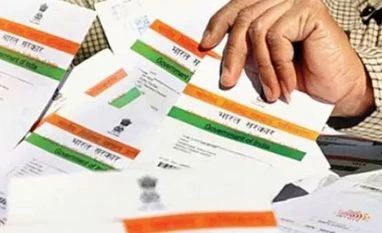 "Aadhaar data leak: Now govt agencies will safeguard your personal info")












 Connect with us on WhatsApp