The first thing I noticed about iOS 11 was the dock. On an iPad, this seemed to mimic the dock one finds in MacBooks. By swiping up from the bottom of the screen to access the dock, I was able to open up an instance of Apple Music, while I was in the browser.
After updating the iPad, I was trying to switch networks and so brought up control center. That’s when I noticed its new look — a clean single-page interface, expandable controls and the ability to customise it.
New app store
The app store looks more “modern” with its slick new interface. I also liked the curated list of apps, and suggestions, as also the separate “Games” and “Apps” tabs.
Files
After updating to iOS 11, I noticed this new app. This app gave me access not only to files stored on my iCloud Drive, but also to those saved on my OneDrive and Google Drive. One can also organise or “pin” files and access them anywhere.
Drag and drop
This is one feature most of us use liberally on our desktops. But using it on an iPad, I could save directions to locations (by copying them from Safari) and add my photos to a document I was using in Pages. But this feature will live up to its potential after more apps support it.
Multi-tasking
I know my friends using Android devices have had it for years, but this feature was something that really helped on the iPad. Whether it was for sharing photos, saving recipes or amalgamating notes, I found this feature to be helpful on larger screens.
QuickType
The new on-screen keyboard now lets one add punctuation marks and symbols without depressing the shift key — one just needs to flick down. While it’s great to be able to do this, the feature needs some getting used to.
Enhanced Photo app
The new Photo app lets one update the People album across Apple devices, and Live Photos has got a bump-up. One can customise the frame one wants to set as the key photo. Effects such as loop, bounce and long exposure let you experiment with existing Live Photos.
Augmented reality
With the iPhone 8 Plus, I had a lot of fun with augmented reality (AR) apps such as Insight Heart, which gave me a 360-degree view of a beating heart and how it would beat if it suffered from a condition. And I spent many hours playing Thomas & Friends Minis and building train tracks on my living room floor.
An improved Siri
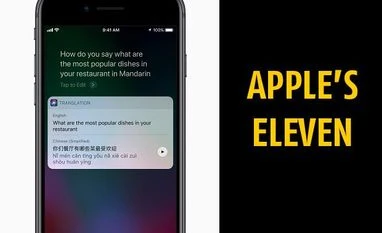
The new Siri sounds more natural and answers questions even when you type them in. Siri can also play the DJ with the music app and is generally spot-on with high-tempo tracks. It can also translate, but I couldn’t test this out.
A better camera app
The new camera app features portrait mode (on the iPhone 7/8 Plus) and some fabulous filters for shutter-addicts. Plus, it also supports scanning QR codes. On the new iPhones, photos and videos take up less space because of a brand new codec.
Read this article for free
Register to continue reading premium journalism and analysis from Business Standard.

 "These 11 features in iOS11 could change the Apple experience forever")












 Connect with us on WhatsApp