Home / Technology / Tech News / Google Drive adds Gemini-powered Audio Overviews for summarising PDFs
Google Drive adds Gemini-powered Audio Overviews for summarising PDFs
Gemini in Google Drive can now turn long PDFs into short, podcast-style audio summaries, allowing users to listen to key points instead of reading entire documents
Google is expanding its Gemini AI integration in Google Drive with a new feature that generates audio summaries of PDFs. According to the Google blog, the tool converts lengthy documents into short, conversational audio clips with a podcast-like tone. Powered by the same technology as NotebookLM’s Audio Overview, Gemini automatically creates and saves the audio file directly to Drive for easy access.
Audio Overviews in Google Drive: How it works
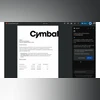
According to the blog, once the feature is available, users will see a new “Audio Overview” button in the PDF viewer on Google Drive’s web version. When they click it, Gemini will process the document and generate a spoken summary within a few minutes. Users will then be able to press “Play” to listen directly from the side panel or wait for an email notification once the audio file is ready.
The generated audio files, which Google said usually last between two and ten minutes, are automatically saved in a new “Audio overviews” folder inside Google Drive. These can be accessed across various devices, including desktops and mobile devices.
Google explained that the feature is meant to make it easier to handle lengthy and detailed documents by turning them into short, easy-to-follow audio summaries. It can process materials like research papers, meeting notes, or legal files, highlighting key points so users can listen instead of reading through long pages. This can be especially helpful for those who want to catch up on information while commuting, working, or managing everyday activities.
The company also noted that Audio Overviews can improve accessibility for users who prefer or depend on audio content, making it easier to absorb important details while multitasking. For now, the feature supports only English-language PDFs and will be rolled out automatically to users without requiring any admin setup.
Rollout
The rollout begins on November 12 for Scheduled Release domains, while Rapid Release domains can already start using it. Once live, Audio Overviews will appear by default for all eligible users.

 "Google Drive adds Gemini-powered Audio Overviews for summarising PDFs")


 Connect with us on WhatsApp