Motorola recently forayed into the India’s tablet market with the launch of the Pad 60 Pro, positioning it in the midrange segment with a starting price of Rs 26,999. Powered by the MediaTek Dimensity 8300, the tablet is marketed as a well-rounded option for gaming, entertainment, and creativity. But how does it fare in real-world use? Here's our detailed review.
Design and Build
At first glance, the Pad 60 Pro bears a striking resemblance to the
Lenovo Idea Tab Pro (review), which comes as no surprise given Motorola’s parent company. The design language is nearly identical – from the camera module to the diagonal lines on the back that indicate the magnetic zone for stylus attachment. The only noticeable differences are the slightly smaller LED flash and the Motorola ‘M’ logo branding.
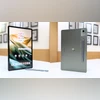
The tablet features a PANTONE Bronze Green finish, rounded corners and weighing approximately 620 grams – identical to the Lenovo counterpart. Its large size makes it slightly uncomfortable to hold for extended periods, and the camera bump causes a bit of wobble when placed flat on a surface. That said, the build quality feels robust enough to withstand minor drops.
The top panel houses the power button and two speaker grilles. The bottom panel includes a USB-C port and two more speakers, giving it a quad-speaker setup. The right side has volume buttons, while the left features pogo pins for accessory attachments.
Display and Audio
The 12.7-inch 3K pOLED display offers a 144Hz refresh rate and 400 nits peak brightness, matching the display specifications of the Idea Tab Pro. The colours, validated by PANTONE, are vibrant and visually appealing, making it a solid choice for multimedia consumption.
Audio is delivered through JBL-tuned quad speakers with Dolby Atmos, creating an immersive viewing experience for movies and web series. However, gaming audio is less impressive. In titles like BGMI, even at maximum volume, critical audio cues like footsteps are barely audible without external earphones – hampering the gameplay experience.
Brightness is another shortcoming. While adequate indoors, outdoor visibility is poor, with reflections and glare affecting usability.
Motorola Pen
Bundled with the tablet, the Motorola Pen adds value by enhancing productivity. It delivers accurate input and is ideal for note-taking, sketching, and navigating the interface. Although there's minor latency, it's negligible during casual use.
The stylus supports system-level tools such as screenshot markup, Google’s Circle to Search, zooming, and media controls. It also offers smooth handwriting recognition, converting handwritten notes into digital text with ease. While not on par with high-end styluses, it performs reliably for everyday tasks, especially at this price point.
Camera
The Pad 60 Pro inherits the 13MP rear and 8MP front camera setup from the Idea Tab Pro. The cameras deliver average performance in daylight but struggle in low-light conditions, often resulting in overexposed highlights and lack of detail.
The front camera suffices for video calls but softens skin textures in selfies. The built-in document scanner performs decently, making it suitable for scanning paperwork when needed.
Performance and Software
Powered by the MediaTek Dimensity 8300, the tablet handles daily multitasking well. Switching between apps like Chrome, Notes, Sketch, YouTube, BGMI, and EA Sports FC 24 was smooth, with no major lags during regular use.
However, gaming performance is inconsistent. BGMI experienced frame drops and lag at high graphics settings, which could be frustrating during intense gameplay. Audio shortcomings further diminish the gaming experience. Less demanding games like Asphalt and EA Sports FC 24 run well, but the large screen can make visuals appear slightly pixelated.
Ergonomically, the size works against it during gaming. Holding the device in landscape mode becomes uncomfortable over time, especially for users who rely on four-finger controls.
The tablet ships with Android 14, which is disappointing considering Motorola has already introduced Android 15 for its smartphones. The company has not clarified the number of OS updates, but it is expected to follow the Idea Tab Pro’s path and receive only two major Android updates, ending with Android 16, due out next month.
Battery and Charging
With a 10,200mAh battery and 45W fast charging, the Pad 60 Pro offers moderate endurance. It can last a full day on light usage but drops to 5–6 hours under heavy gaming.
Charging from 0 to 100 per cent takes around 75 minutes, which is efficient for a battery of this size.
Verdict
The Motorola Pad 60 Pro is effectively a rebranded Lenovo Idea Tab Pro with identical specs but a slightly lower price – Rs 1,000 cheaper. It's a strong contender for media consumption and productivity, especially with the included stylus and vibrant display. However, if you're seeking a tablet primarily for gaming, this may not be the right choice. Audio limitations, frame drops, and ergonomic discomfort detract from the gaming experience.

 "Motorola Pad 60 Pro review: Stylus and AI highlight this midrange tablet")


 Connect with us on WhatsApp