Users are using advanced AI technologies like Google Gemini and ChatGPT to enhance old, blurry photos with amazing accuracy, starting a new viral trend on social media. These programs use artificial intelligence (AI) to improve lighting, color, texture, and detail, transforming old digital or scanned prints into images that look like those taken with a modern DSLR camera.
The results show "as if the photo was taken yesterday," according to many users. A post on X by Gemini AI official account mentioned, "The most unexpected and heartwarming use of Nano Banana? Photo restoration. See how people are bringing their cherished memories to life with Gemini by refining, unblurring, and colourising old photos".
ChatGPT vs Gemini: Which AI performs better?
Although Gemini and ChatGPT both produce amazing results, early comparisons indicate that Gemini Nano Banana provides more realistic texture retention and color grading. Conversely, ChatGPT is excellent at preserving sharpness and delicate facial details, providing photos a polished, high-resolution appearance.
Notably, both platforms use deep learning models that have been trained on huge image datasets to intelligently evaluate and improve photos. The decision between them frequently boils down to personal taste and the desired appearance.
How to 'restore' your old images using Gemini or ChatGPT?
Users only need to upload their old photos to Google Gemini and ChatGPT, and the prompt will then restore them. Now that this detailed prompt has been widely shared, anyone can apply AI models to restore images to studio quality.
On Saturday, X user and AI specialist @ShreyaYadav_ shared a post detailing how to replicate outcomes of a high caliber. Her post says:
Prompt:
“Restore Your Old Photo with Gemini or ChatGPT using Old Photo, AI ChatGPT and AI Gemini. Edit this photo into a professional portrait of very high quality and colour, comparable to the results of Canon EOS R5. Create like a recent photo, with great clarity and no noise. Produce razor-sharp photos. Full HD 32k.”
Top prompts to use while restoring 'old' photos
• Maintain Identity and Originality: Do not change my father's face or make him unrecognizable; instead, maintain his precise facial structure, expressions, skin tone, and hairline.
• Clarity & Resolution: Make the picture sharp and detailed by sharpening it to ultra-high quality (Full HD or above), eliminating any grain, noise, or blur.
• Color Correction: Restore natural skin tones, realistic lighting, and realistic shadows using color correction. Steer clear of cartoonish or overly saturated colors.
• Remove Damage: Get rid of any folds, fading, cracks, stains, or scratches. While maintaining the authenticity of the original scenario, gradually clean up the background.
• Texture & Detail: To create the illusion of a current portrait, gently accentuate the face features (eyes, hair, wrinkles) and clothing textures (shirt, jacket, etc.).
• Lighting Enhancement: Include gentle, natural lighting that accentuates the face while preserving realism, such as daylight or studio portrait lighting.
• Background Refinement: Make the background smoother and clearer without altering its type (for example, if there is an old studio or outdoor background, preserve it).
• Output Quality: Produce a final image with excellent definition, no noise, balanced contrast, realistic depth of field, and exquisite dynamic range that looks like it was taken by a professional.
• Final result: Provide a high-resolution, repaired portrait of father that retains the originality and emotional content of the vintage shot while feeling contemporary, distinct, and genuine.

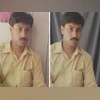 "How to restore old photos using Google Gemini AI? Know easy prompts & more")


 Connect with us on WhatsApp