YouTube Playables: How to play games on Google's video streaming platform
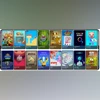
Google is offering over 75 games under the Playables section within the YouTube app. The game section, however, is available in selected markets for now and could expanded to more countries soon
Prakruti Mishra New Delhi Google now offers an option to play games within its video streaming platform
YouTube. Announced in 2023, the YouTube Playables has graduated from the initial testing phase and is now available in select countries as part of an experimental rollout. India is not among the countries where Playables is available, but the country is expected to receive this feature once the general rollout commences.
In the initial testing phase, Google offered 30 games as part of the YouTube Playables. Now, the catalogue has grown to over 75 games. For context, Google had a gaming project called GameSnacks, which was a dedicated site for online games that has eventually led to YouTube announcing Playables.
YouTube Playables: How to play games
- Open the YouTube app on Android or iOS, or visit the YouTube home page using browser on any PC
- Head over to “Explore Menu” to find Playables
- Here, you can browse and choose from over 75 games, Moreover, you can tap on the three-dot menu to share the games with friends
- To play games, you can either use touchscreen controls on mobile or use mouse or trackpad on the desktops
- Games on YouTube Playables are available with options to exit the game, mute/unmute the audio, and view additional controls via an overflow menu.
YouTube premium users will have the option to continue playing videos in the background while muting the game audio. Moreover, paid subscribers can also save game progress and see their all-time best scores.
YouTube Playables: Details
Playables has been included in YouTube to make it a more entertaining experience for the users. Currently the gaming catalogue includes classic games like Chess and Solitaire and popular games like Angry Birds Showdown, Words of Wonders, Cut the Rope, Tomb of the Mask, Trivia Crack, and more.
Since these games are available on the app, users will not require downloading any other app or games separately to access this feature. Netflix also has a collection of games but it requires you to download the title separately. YouTube is rolling out the feature in a phased manner and will be available for more users soon.

 "YouTube Playables: How to play games on Google's video streaming platform")


 Connect with us on WhatsApp