Apple releases iOS 18 developer beta 4: What's new, how to install and more

Apple has not put up any AI-powered tools and features for testing on iOS 18 developer beta. However, the subsequent release targeted at developers is expected to pack initial set of features
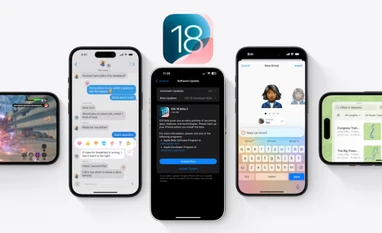
Apple rolls out iOS 18 developer beta 2
iOS 18
Harsh Shivam New Delhi
3 min read Last Updated : Jul 24 2024 | 10:35 AM IST
Apple has released iOS 18 developer beta four for eligible iPhone models. The new platform update brings several new improvements and changes, including new camera settings, icon redesigns, and wider Rich Communication Services (RCS) messaging support. There is no sign of Apple Intelligence yet on the new beta version, but Apple is expected to start testing the new artificial intelligence-powered features soon. Here is everything new in the iOS 18 developer beta four:

iOS 18 Developer Beta Four: What’s new

Camera “Controls Menu”

According to 9To5Mac, Apple has added a new “Controls Menu” in the Settings app for the Camera. The new settings option reportedly “Preserves” the previously used camera tools when the controls menu is expanded, rather than just showing the list of camera tools available.

CarPlay Wallpapers

As per the report, iOS 18 introduces eight light mode and dark mode wallpapers for Apple CarPlay that are inspired by the new iPhone wallpapers.

Redesigns

Apple brings system-wide minor redesigns to app icons and user interface. Stocks app icon now has a new design while apple has also tweaked the design for the new Hidden app folder in the App Library. Additionally, Apple now also allows users to keep dark mode widgets on the home screen while the iPhone is in light mode.

RCS support

Apple has reportedly enabled RCS messaging support to more network carriers in the UK, Canada and Spain. RCS messaging support on iPhones is expected to be more widely available when iOS 18 is released publicly.

iPhone Mirroring

With iOS 18 Beta four, Apple has added a new window sizing option for mirroring the iPhone screen on a Mac. In previous beta versions, iPhone mirroring only supported a fixed size of the window on the Mac. However, with iOS 18 developer beta four and macOS Sequoia new beta, users have three window size options – actual size, small and large.

iOS 18 developer beta four: How to download and install

  • Sign up for the developer beta on Apple’s website (https://beta.apple.com/sp/betaprogram/)
  • On iPhone, go to Settings-General-Software Update
  • Tap on the Beta Updates option and select iOS 18 Developer Beta
  • Move back to Software Update page and wait for the download to appear
  • Agree to Apple terms and initiate download process
  • Installation will begin after download process
Note: Back up iPhone before installing the beta

iOS 18 developer beta: Eligible iPhone models

  • iPhone 15
  • iPhone 15 Plus
  • iPhone 15 Pro
  • iPhone 15 Pro Max
  • iPhone 14
  • iPhone 14 Plus
  • iPhone 14 Pro
  • iPhone 14 Pro Max
  • iPhone 13
  • iPhone 13 mini
  • iPhone 13 Pro
  • iPhone 13 Pro Max
  • iPhone 12
  • iPhone 12 mini
  • iPhone 12 Pro
  • iPhone 12 Pro Max
  • iPhone 11
  • iPhone 11 Pro
  • iPhone 11 Pro Max
  • iPhone XS
  • iPhone XS Max
  • iPhone XR
  • iPhone SE (2nd generation or later)

*Subscribe to Business Standard digital and get complimentary access to The New York Times

Smart Quarterly

₹900

3 Months

₹300/Month

SAVE 25%

Smart Essential

₹2,700

1 Year

₹225/Month

SAVE 46%
*Complimentary New York Times access for the 2nd year will be given after 12 months

Super Saver

₹3,900

2 Years

₹162/Month

Subscribe

Renews automatically, cancel anytime

Here’s what’s included in our digital subscription plans

Exclusive premium stories online

  • Over 30 premium stories daily, handpicked by our editors

Complimentary Access to The New York Times

  • News, Games, Cooking, Audio, Wirecutter & The Athletic

Business Standard Epaper

  • Digital replica of our daily newspaper — with options to read, save, and share

Curated Newsletters

  • Insights on markets, finance, politics, tech, and more delivered to your inbox

Market Analysis & Investment Insights

  • In-depth market analysis & insights with access to The Smart Investor

Archives

  • Repository of articles and publications dating back to 1997

Ad-free Reading

  • Uninterrupted reading experience with no advertisements

Seamless Access Across All Devices

  • Access Business Standard across devices — mobile, tablet, or PC, via web or app

More From This Section

Topics :Apple iOSApple iPhoneTechnology

First Published: Jul 24 2024 | 10:35 AM IST

Next Story