Camera Control button on Apple iPhone 16 series: What is it, how it works

The new Camera Control button on the iPhone 16 series offers quick-access to camera features with touch gestures. Later this year, the button will enable advanced features like Visual Intelligence
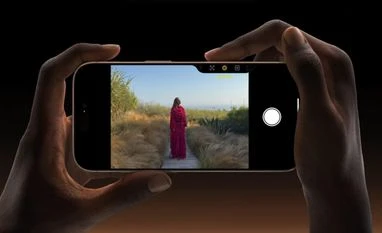
Camera Control on iPhone 16 Pro
Harsh Shivam New Delhi
2 min read Last Updated : Sep 10 2024 | 7:58 PM IST

Don't want to miss the best from Business Standard?

One of the standout features of the new iPhone 16 series is the introduction of a “Camera Control” button. This button is included on all four iPhone 16 models and is designed to enhance the user experience with quick access to camera functions using touch gestures such as light press, tap, and slide.

iPhone 16 Camera Control: Details

The Camera Control button is integrated into the iPhone 16 series frame and features a “high-precision” force sensor that provides haptic feedback mimicking the feel of a DSLR camera shutter. The capacitive touch sensor on the button detects interactions such as clicks and slides.

The button is topped with a sapphire crystal surface, offering a smooth texture and is encircled by a colour-matched fine stainless steel trim.

iPhone 16 Camera Control: Functions

The Camera Control button facilitates rapid access to various camera actions. A single click launches the Camera app, while another quick click captures a photo. In video mode, a click starts and stops recording.
The force sensors distinguish between a click and a light press. A light press opens up controls like zoom, displayed in a new interface adjacent to the button. A double light press reveals a sliding menu for additional camera settings, such as exposure or depth of field. Users can swipe on the button itself to select the desired setting.

For the iPhone 16 Pro and Pro Max models, Apple is introducing a two-stage shutter feature with the Camera Control button. This feature allows users to lock focus and exposure with a light press, enabling them to reframe their shot without losing the set focus and exposure levels.
These Camera Control actions are also compatible with third-party apps, including Snapchat.

Visual Intelligence with Camera Control Button

During the iPhone 16 launch event, Apple showcased the new “Visual Intelligence” feature, which utilises the Camera Control button. Once available, users can click and hold the button within the camera app to obtain information about real-life objects. For instance, pointing the camera at a restaurant will provide details such as opening hours, reviews, and ratings. Users will also have the option to perform a visual Google Search or send the information to OpenAI’s ChatGPT for further details.

*Subscribe to Business Standard digital and get complimentary access to The New York Times

Smart Quarterly

₹900

3 Months

₹300/Month

SAVE 25%

Smart Essential

₹2,700

1 Year

₹225/Month

SAVE 46%
*Complimentary New York Times access for the 2nd year will be given after 12 months

Super Saver

₹3,900

2 Years

₹162/Month

Subscribe

Renews automatically, cancel anytime

Here’s what’s included in our digital subscription plans

Exclusive premium stories online

  • Over 30 premium stories daily, handpicked by our editors

Complimentary Access to The New York Times

  • News, Games, Cooking, Audio, Wirecutter & The Athletic

Business Standard Epaper

  • Digital replica of our daily newspaper — with options to read, save, and share

Curated Newsletters

  • Insights on markets, finance, politics, tech, and more delivered to your inbox

Market Analysis & Investment Insights

  • In-depth market analysis & insights with access to The Smart Investor

Archives

  • Repository of articles and publications dating back to 1997

Ad-free Reading

  • Uninterrupted reading experience with no advertisements

Seamless Access Across All Devices

  • Access Business Standard across devices — mobile, tablet, or PC, via web or app

More From This Section

Topics :Apple iPhoneApple eventTechnology

First Published: Sep 10 2024 | 2:42 PM IST

Next Story