Home / Technology / Tech News / Do not put your iPhone in a bag of rice: Apple's advisory for a wet phone
Do not put your iPhone in a bag of rice: Apple's advisory for a wet phone
Apple has noted in its support page for iPhones that placing the wet phone in a bag of rice or inserting foreign object into the charging connector may cause more damage to the smartphone
Most modern-day smartphones boast varying degrees of liquid resistance, with high-end models generally offering superior protection against water ingress. However, there are instances where a phone may become wet to a point that it prompts a warning message, advising users to take necessary precautions. This alert serves as a reminder for users to protect their device from potential harm and take appropriate steps to prevent any damage due to moisture.
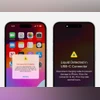
Apple follows a similar pattern, it alerts the iPhone user to not use a charging accessory as the charging connector might have moisture that can cause harm to their smartphone. Apple has issued an advisory on its support page clearly stating what actions to take and what to avoid if moisture is detected.
In one of the pointers, Apple clearly stated that putting the iPhone inside a bag of rice is not an appropriate solution. The popular solution of putting an iPhone inside a bag of uncooked rice might cause further problems as smaller rice particles may cause more damage.
The company also advises against inserting foreign objects such as cotton swabs or paper towels into the charging connector. Additionally, using an external heat source to dry the iPhone can also cause damage.
Here are the steps that Apple suggests for when you see an alert for liquid detection on your iPhone:
Unplug the cable from the iPhone and unplug the other end of the cable from the power adapter.
Do not plug the cable in again until the iPhone and the cable are completely dry.
Tap the iPhone gently against your hand with the connector facing down to remove excess liquid.
Leave the iPhone in a dry area with some airflow.
After at least 30 minutes, try charging with a Lightning or USB-C cable or connecting an accessory.
If the alert pops up again, leave the iPhone in a dry area with some airflow for up to a day.
Try again to charge or connect an accessory throughout this period.
If your phone has dried out but still isn't charging, unplug the cable from the adapter and unplug the adapter from the wall and then connect them again.


 "Do not put your iPhone in a bag of rice: Apple's advisory for a wet phone")


