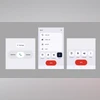
Don't like new Google Phone app UI? Here's how to revert to older version

Google Phone app's new UI sparked backlash as users report confusion, accidental hang-ups, and tougher contact access. If you share same sentiments, follow steps below to move back to previous version

Google Phone app new update
Sweta Kumari New Delhi
2 min read Last Updated : Aug 26 2025 | 5:17 PM IST
Google had recently rolled out an update to the Phone app on Android, introducing a refreshed UI, new gestures, and Material 3 Expressive design elements. However, the redesign has not gone down well with users. Beyond the revamped dialler interface, the way calls are answered has changed; calls can be accepted or declined with a slide gesture, which can be confusing for less tech-savvy users.
 
Soon, social media was flooded with memes and lighthearted posts about the update. While many users felt it disrupted years of muscle memory, leading to accidental hang-ups and harder access to contacts, the refreshed layout does bring clearer separation in contacts and call history with new horizontal lines for better readability.
 
Overall, the new design feels less intuitive and comes with a noticeable learning curve for many. Many users have expressed their dissatisfaction with the update, calling it “blocky, and oversized,” but some found the newly introduced interface up to their liking. Some Reddit and X users have criticised the new design updates, calling them “oversized and ugly.”
If you want the old UI back, here is a step-by-step guide to do that on your smartphone. 

Step 1: Play Store

  • On the Play Store app of your Android smartphone, tap on the profile icon (the one with the picture) located in the top right corner. 
  • Scroll down and select Settings. 
  • Tap on the “Network preferences” dropdown and go to “Auto-update apps.” 
  • Now choose “Don’t auto-update apps” to stop the dialler app from automatic updates.

Step 2: Clear Cache 

  • In Settings on your phone, go to Apps, and then to Phone. 
  • Tap on “Storage & cache” and choose “Clear cache” option. 

Step 3: Phone App in Play Store

  • In the Play Store, search for Google Phone app. 
  • Choose the app from the search results. 
  • Select “Uninstall.” 
This will revert the app to its original version with the familiar UI. However, disabling auto-updates is not recommended. Alternatively, you can switch to a secondary dialler app from your device manufacturer and set it as the default.
*Subscribe to Business Standard digital and get complimentary access to The New York Times

Smart Quarterly

₹900

3 Months

₹300/Month

SAVE 25%

Smart Essential

₹2,700

1 Year

₹225/Month

SAVE 46%
*Complimentary New York Times access for the 2nd year will be given after 12 months

Super Saver

₹3,900

2 Years

₹162/Month

Subscribe

Renews automatically, cancel anytime

Here’s what’s included in our digital subscription plans

Exclusive premium stories online

  • Over 30 premium stories daily, handpicked by our editors

Complimentary Access to The New York Times

  • News, Games, Cooking, Audio, Wirecutter & The Athletic

Business Standard Epaper

  • Digital replica of our daily newspaper — with options to read, save, and share

Curated Newsletters

  • Insights on markets, finance, politics, tech, and more delivered to your inbox

Market Analysis & Investment Insights

  • In-depth market analysis & insights with access to The Smart Investor

Archives

  • Repository of articles and publications dating back to 1997

Ad-free Reading

  • Uninterrupted reading experience with no advertisements

Seamless Access Across All Devices

  • Access Business Standard across devices — mobile, tablet, or PC, via web or app

More From This Section

Topics :GoogleTechnology NewsGoogle apps

First Published: Aug 26 2025 | 5:17 PM IST

Next Story