Home / Technology / Tech News / Google Photos consolidates creative tools under 'Create' on Android, iOS
Google Photos consolidates creative tools under 'Create' on Android, iOS
Google Photos is reportedly rolling out a new Create tab to unify editing tools, along with an AI-powered Remix feature that transforms photos into styles like anime, sketch, and comic
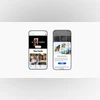
Google has reportedly begun rolling out new features to its Photos app, including the earlier-announced “Create” tab, which consolidates various creative tools for easier use, and a fresh AI-powered “Remix” function for altering the visual style of images. According to 9To5Google, these additions have started appearing for select users on both Android and iOS versions of the app.
Google Photos: What is new
Create tab:
The report notes that a “Create” tab is now visible on the Google Photos bottom navigation bar, positioned between the Collection and Search tabs. Google unveiled this feature last month, explaining that it would centralise all creative tools such as Photo to Video, highlight videos, and more for easy access.
As per the report, the tab provides quick access to the following options:
Animations: Creates a moving GIF from chosen photos and videos.
Cinematic photos: Adds a 3D motion effect to images.
Collage: Merges several photos into a single, stylish layout.
Highlight videos: Automatically generates a music-backed video from selected photos and videos.
Photo to video: Animates still photos into short, six-second video clips.
Remix: A new feature to restyle images in different styles.
The report adds that the ‘Plus’ menu at the top right corner of the app is still present and includes some of the same options now found in the Create tab, though Google may remove this overlap in future updates.
AI-powered Remix tool:
First announced in July along with the photo-to-video generator, Google is now gradually adding the AI-based Remix tool to the Photos app for select users. Integrated into the new Create tab, this tool can apply different artistic styles to existing photos. At present, the report says, it offers four style options:
3D animation
Anime
Sketch
Comic book
Here is how you can stylise your pictures using Remix:
On your mobile device, open the Google Photos app.
At the top right, tap Create new and then Remix.
To try out Remix, tap Try now.
Select a style.
To choose a photo that you want to edit, tap Choose photo.

 "Google Photos consolidates creative tools under 'Create' on Android, iOS")


 Connect with us on WhatsApp