Lenovo recently introduced the ThinkPad X1 Carbon Aura Edition Gen 13 in India, positioning it as a premium ultrabook that blends portability, performance, and AI-powered features. At just under a kilo in weight, it is one of the lightest enterprise-focused laptops, and with Intel’s latest Core Ultra processors, Lenovo claims it can handle demanding workloads while offering all-day battery life. Add to that a Copilot Plus PC tag, 5G connectivity through a physical SIM slot, and the familiar ThinkPad design, and the X1 Carbon Gen 13 looks like a compelling package on paper. But does it live up to these promises in everyday use? I spent the past couple of weeks using it as my primary work machine, and here’s how it performed.
Design
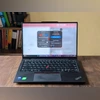
I’ve personally never been a fan of ThinkPad designs, especially the plain black finish they’ve carried over the years. But the Lenovo ThinkPad X1 Carbon Gen 13 managed to make me think twice. The matte, smooth coating instantly gives it a premium feel while still retaining that classic ThinkPad DNA. As expected, the iconic ThinkPad logo sits on the lid, with the red dot over the “i” pulsing gently when the system is asleep and the lid is closed.
Open it up, and even the legendary red TrackPoint at the centre of the keyboard, along with the large physical buttons above the touchpad, don’t feel out of place or dated. The modern look is largely thanks to the slim display bezels, which make the X1 Carbon feel sleek and up-to-date. It’s also easily one of the most portable workstations I’ve ever used – ultra-thin and extremely lightweight at 986g.
That said, the black coating tends to pick up fingerprints and smudges faster than a glass surface, which can be a bit annoying. On the bright side, your fingerprint isn’t just evidence, it doubles as a security feature. The laptop integrates a fingerprint sensor for biometric authentication directly on the keyboard deck. Its placement, however, is a bit questionable. Sitting right next to the dedicated Copilot key, it occasionally made me look like I was trying to summon the AI assistant from the lock screen (which isn’t supported yet).
As for connectivity, the ThinkPad X1 Carbon Gen 13 offers a solid selection of ports:
- 2x USB-C Thunderbolt 4 (DisplayPort and charging support)
- 2x USB-A (one with charging support)
- HDMI 2.1
- Headphone/mic combo jack
- Kensington Nano Security Slot
- Nano SIM slot
Display and audio
The ThinkPad X1 Carbon unit I reviewed came with a WUXGA (1920 x 1200) IPS touchscreen panel featuring an anti-glare coating. For those who would rather trade touch functionality for richer visuals, Lenovo also offers a 2.8K OLED option.
On the review model, the IPS display doesn’t quite match OLED in terms of vibrancy, but the visuals remain crisp and sharp. It’s more than adequate for a laptop that isn’t primarily geared toward visual or creative work. That also explains why Lenovo has capped the refresh rate at 60Hz. While you eventually get used to it, the lack of smoothness while scrolling is noticeable, especially if you’re coming from a higher refresh rate display.
Where this panel redeems itself is in functionality. The touchscreen is quick and responsive, though again, the 60Hz limit is evident in touch interactions too. The anti-glare coating is another strength, effectively reducing reflections in office-style multi-light setups. Brightness levels are also impressive, making the display perfectly usable in naturally well-lit work environments.
Audio performance on the X1 Carbon is handled by dual downward-firing speakers. They deliver clear vocals, which are great for video calls, podcasts, and movie dialogue, and get loud enough for indoor use. However, the sound profile is relatively flat when it comes to music playback. It isn’t unusable, but for a proper listening experience, pairing the laptop with headphones or an external speaker is the better option.
Keyboard and typing experience
The Lenovo ThinkPad X1 Carbon Gen 13 features an interesting keyboard, and I’m not referring to the signature red TrackPoint in the middle. Typing on it feels both soft and crisp. Key presses are slower and cushioned on the way down but snap back up quickly, creating a unique rhythm. This balance allows you to maintain typing speed while offering a softer, more forgiving feel, almost like a cushion for heavy-fingered typists like myself.
The trackpad, meanwhile, is slightly smaller than what you’ll find on many modern ultrabooks. That’s largely because of the three physical buttons at the top, a classic ThinkPad trait. Alongside them, you get the iconic TrackPoint in the centre of the keyboard for cursor movement. On the X1 Carbon, its execution feels more polished than in some past ThinkPads – it’s responsive and adapts well to even subtle pressure. That said, while I appreciate its precision, I still found myself relying on the trackpad for most of my work.
Performance
As long as you’re not juggling an overwhelming number of tasks, the X1 Carbon delivers a smooth experience. Powered by the Intel Core Ultra 7 268V processor and paired with 32GB RAM, it handles a dozen Chrome tabs along with several background apps without stutters. That said, pushing it harder, such as running multiple YouTube videos across different tabs alongside heavy background activity, did occasionally slow things down.
Since the X1 Carbon isn’t built as a gaming laptop, expectations need to be managed. Still, it performed well with lighter titles like Asphalt. Pushing it to more demanding games like The Witcher 3, the laptop managed to hold steady around 27–30fps, occasionally even crossing that mark. In short, it’s capable of light gaming, but not much beyond that.
What impressed me most, though, was how well the laptop manages heat while staying quiet. Even during long work sessions that involved fairly heavy multitasking, I could comfortably keep it on my lap without feeling so much as a hint of warmth.
Software and features
Powered by an Intel Core Ultra 7 processor, the laptop qualifies as a Copilot+ PC, giving it access to several exclusive AI-driven features. One of these is Recall, currently still in preview. Even so, it works as intended, offering a scrollable timeline of screenshots that lets me revisit what I was previously doing. These screenshots are also searchable using text prompts, either by describing what was on the screen or by referencing specific text that appeared. In my experience, the latter is more reliable.
Other Copilot+ functions include Click to Do, which auto-suggests actions, and an intelligent Search that lets you look for system settings or files using natural language prompts. You also get the standard set of tools such as Studio Effects for video calls, AI Eraser for photos, and an AI image generator integrated into the Photos and Paint apps.
Beyond AI, one particularly handy feature is the customisable quick-access panel, which can be summoned by triple-tapping the TrackPoint. This panel offers four slots that can be configured to your needs. Options include switching audio output devices, changing microphone modes (whether to capture group conversations or focus on a single speaker), adjusting charging thresholds, and more.
Another practical addition is the physical SIM slot for 5G connectivity. Setting it up is as straightforward as on a smartphone, and it’s especially useful when traveling or working in places without Wi-Fi access.
Battery
I have been using the Lenovo ThinkPad X1 Carbon Gen 13 for over two weeks now, and the battery is easily its standout feature. The laptop consistently lasts over 10 hours on regular workloads, including split-screen multitasking, web browsing, watching YouTube videos, and more. That said, you’ll still want to carry the charger along, as higher brightness levels, long video calls, or heavy media consumption can drain the battery more quickly.
Charging is handled via USB-C, and the X1 Carbon juices up from 20 percent to 70 percent in about 25 minutes, which is quite impressive.
Verdict
The Lenovo ThinkPad X1 Carbon Aura Edition Gen 13 strikes an impressive balance between portability and performance, while staying true to the iconic ThinkPad design language. Its ultra-lightweight build, coupled with the convenience of a physical SIM slot, makes it one of the most travel-friendly business laptops you can buy. Add to that the solid typing experience and dependable battery life.
That said, it’s not flawless. The touchscreen model is capped at a 60Hz refresh rate, which feels limiting at this price point. Lenovo does offer an alternative OLED variant with a sharper 2.8K resolution and a smoother 120Hz refresh rate, though that comes at the expense of touch support.
If you’re in the market for a premium business ultrabook that is portable, durable, and consistently reliable for productivity, the ThinkPad X1 Carbon Gen 13 remains one of the strongest contenders in its class.
- Price: Rs 174,141 onwards

 "Lenovo ThinkPad X1 Carbon Aura Edition: An ultra-portable premium AI laptop")

