Home / Technology / Tech Reviews / Sony Bravia Theatre Bar 6 review: Spatial sound, punchy bass, clear vocals
Sony Bravia Theatre Bar 6 review: Spatial sound, punchy bass, clear vocals
Sony Bravia Theatre Bar 6 offers immersive spatial sound, clear vocals, and Bravia TV integration, making it a capable home audio system despite a few smart connectivity omissions
5 min read Last Updated : Aug 13 2025 | 9:44 PM IST
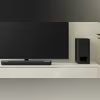
Sony recently launched the Bravia Theatre Bar 6 in India — a 3.1.2 channel soundbar system designed for home use — priced at Rs 54,990. Although positioned as a mid-range offering within the Japanese electronics maker’s soundbar portfolio, the system leans towards the company’s more premium products in terms of configuration, soundstage, and features. As mentioned, it is a 3.1.2 channel system comprising three front-facing audio drivers, including a centre channel, and two top-firing audio drivers for vertical lift, along with a dedicated wireless subwoofer.
Sony Bravia Theatre Bar 6: Sync with Bravia
As a Sony product, the Bravia Theatre Bar 6 offers features exclusive to Bravia smart televisions, such as the 'Sync with Bravia' function. This integrates the soundbar’s controls into the television’s quick settings menu for easy access, eliminating the need for a second remote (supplied with the soundbar) or the companion smartphone app (more on it later in the review).
Sony Bravia Theatre Bar 6: Setting up
Like most soundbar systems, this one is intended to be placed beneath the television either on a tabletop or mounted on a wall. For tabletop setups, Sony provides an additional pair of elevated grips to accommodate TVs with leg-style stands. While not all televisions feature flat legs, for those that do, this inclusion is particularly useful.
It is important to note that the soundbar should be installed in a location without obstructions above it, such as a cabinet, as this would interfere with the vertical sound projection. The wireless subwoofer may be placed anywhere within the room; even at a distance of up to 10 feet, its performance remains consistent and free from latency.
Sony Bravia Theatre Bar 6: Connectivity
Once in place, the soundbar connects to the TV via the supplied HDMI cable. Although Bluetooth (v5.3) is available for wireless connectivity, the optimal experience is achieved through HDMI. A notable omission is Wi-Fi connectivity, which would have enabled support for Apple AirPlay and Google Chromecast. Similarly, the lack of support for Amazon Alexa and Google Assistant is felt, as their inclusion could have enhanced the system’s suitability for smart home integration and voice control functionality.
Nevertheless, the soundbar supports both Audio Return Channel (ARC) and Enhanced Audio Return Channel (eARC) via HDMI. However, it is essential to verify that your television supports either of these technologies, or you risk missing out on the full sound quality that the system can deliver.
Sony Bravia Theatre Bar 6: Companion app
The Bravia Connect companion app is available for both iPhone and Android devices via the App Store and Google Play, respectively. Although not mandatory, the app plays a key role in configuring the soundbar according to room specifications.
During the initial setup, the app requests Bluetooth access to detect and pair with the soundbar and subwoofer. Once detected, the app automatically pairs both components. In the event of a pairing failure, it provides step-by-step troubleshooting guidance. Upon successful connection, the app enables tuning of the soundbar and subwoofer according to the room layout — allowing users to input distances from the seating position and vertical travel in feet. These manual settings allow for fine-tuning, which some users may prefer over automated systems; however, the option for automatic soundstage calibration based on room acoustics would have been a valuable inclusion.
After setup, the app displays a minimal homepage with key information presented upfront. A dropdown menu at the top allows users to select the connection type — TV or Bluetooth — and shows the current configuration (2-channel, 5.1-channel, Dolby Atmos, etc.) based on content type. Below that, as illustrated in the screenshot, are controls to activate modes, adjust volume and bass levels, select audio sources, and access advanced settings.
Sony Bravia Connect app: Screenshots
Sony Bravia Theatre Bar 6: Performance
In its default mode, which uses Sony’s vertical sound field, the soundbar produces expansive audio with pronounced bass. The best experience is delivered with Dolby Atmos, Dolby Digital, and DTS:X content, which broaden the soundstage by extending side channels and utilising vertical channels for spatial immersion. While the soundstage is impressive, it is tuned for clarity and depth rather than sheer loudness. It suffices for a cinematic viewing experience but may not fully satisfy users seeking strong audio output for music or voice-focused content. Fortunately, the soundstage can be manually adjusted to Dolby or DTS:X via the app. Additional controls allow for bass adjustment, voice enhancement, and night mode activation.
Bass range: Adjustable between -10 and +10
Night mode: Reduces bass output for a more moderate listening experience
Voice mode: Amplifies the centre channel and optimises other channels for vocal clarity
Verdict
The Sony Bravia Theatre Bar 6 delivers a well-balanced home audio experience with its spacious soundstage, pronounced bass, and clear dialogue output. While it lacks some features such as Wi-Fi connectivity and built-in voice assistants, it compensates with solid core performance and Bravia TV integration. The companion app adds meaningful value through manual tuning options, although an automatic room calibration feature would have enhanced convenience. Overall, this soundbar system stands out for its clarity-focused sound tuning and effective spatial audio delivery, making it well suited for cinematic-like content consumption at home.

 "Sony Bravia Theatre Bar 6 review: Spatial sound, punchy bass, clear vocals")

