Apple rolls out iOS 18 developer beta 2: New features and eligible iPhones

In certain regions, iOS 18 developer beta 2 introduces support for Rich Communication Services (RCS) in the Messages app

Apple rolls out iOS 18 developer beta 2
Khalid Anzar New Delhi
3 min read Last Updated : Jun 25 2024 | 11:02 AM IST
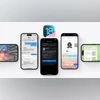
Apple has released iOS 18 developer beta 2 for eligible iPhones, introducing several new features and improvements. Key additions include iPhone Mirroring on compatible Macs, SharePlay screen sharing, a dark mode icon for the App Store, and a multi-language keyboard. Notably, in certain regions, the update also introduces support for Rich Communication Services (RCS) in the Messages app.

iOS 18 developer beta 2: What is new

iPhone Mirroring

iPhone Mirroring allows users to display their iPhone screen on supported Mac computers. This feature enables seamless interaction between devices, including receiving notifications and utilising drag-and-drop functionality without unlocking the iPhone.

Enhanced SharePlay

SharePlay screen sharing enhances collaboration by enabling users to draw on and control others' screens during shared sessions, facilitating effective communication and cooperation.

App Store

The App Store now features a dark mode icon, aligning with the system-wide aesthetic preferences of iOS.

Multi-language keyboard

The multi-language keyboard update expands support to handle up to three languages simultaneously, offering a selection of 27 Indian languages including English (India), Hindi, Assamese, Bangla, and Urdu.

RCS messaging

While RCS messaging support is included in this beta, it is not yet available in India.

Things to keep in mind before downloading

Developer betas are used by developers to check their apps on the upcoming operating system and to report bugs. Since the bugs are removed after the testing, you might face unexpected crashing on the phone or it might prevent you from using some apps in addition to other issues that you might face, hence Developer beta should be downloaded with caution. You can also sign up for a more stable public beta for iOS 18, which will be released later in the month or in July.

iOS 18 developer beta 2: How to download and install

  • On iPhone, go to Settings-General-Software Update
  • Tap on the Beta Updates option and select iOS 18 Developer Beta
  • Move back to Software Update page and wait for the download to appear
  • Agree to Apple terms and initiate download process
  • Installation will begin subsequent to download process

iOS 18 developer beta 2: Eligible iPhone models

  • iPhone 15
  • iPhone 15 Plus
  • iPhone 15 Pro
  • iPhone 15 Pro Max
  • iPhone 14
  • iPhone 14 Plus
  • iPhone 14 Pro
  • iPhone 14 Pro Max
  • iPhone 13
  • iPhone 13 mini
  • iPhone 13 Pro
  • iPhone 13 Pro Max
  • iPhone 12
  • iPhone 12 mini
  • iPhone 12 Pro
  • iPhone 12 Pro Max
  • iPhone 11
  • iPhone 11 Pro
  • iPhone 11 Pro Max
  • iPhone XS
  • iPhone XS Max
  • iPhone XR
  • iPhone SE (2nd generation or later)

*Subscribe to Business Standard digital and get complimentary access to The New York Times

Smart Quarterly

₹900

3 Months

₹300/Month

SAVE 25%

Smart Essential

₹2,700

1 Year

₹225/Month

SAVE 46%
*Complimentary New York Times access for the 2nd year will be given after 12 months

Super Saver

₹3,900

2 Years

₹162/Month

Subscribe

Renews automatically, cancel anytime

Here’s what’s included in our digital subscription plans

Exclusive premium stories online

  • Over 30 premium stories daily, handpicked by our editors

Complimentary Access to The New York Times

  • News, Games, Cooking, Audio, Wirecutter & The Athletic

Business Standard Epaper

  • Digital replica of our daily newspaper — with options to read, save, and share

Curated Newsletters

  • Insights on markets, finance, politics, tech, and more delivered to your inbox

Market Analysis & Investment Insights

  • In-depth market analysis & insights with access to The Smart Investor

Archives

  • Repository of articles and publications dating back to 1997

Ad-free Reading

  • Uninterrupted reading experience with no advertisements

Seamless Access Across All Devices

  • Access Business Standard across devices — mobile, tablet, or PC, via web or app

More From This Section

Topics :Apple iPhoneApple iPhonesTechnology

First Published: Jun 25 2024 | 10:58 AM IST

Next Story