iPhone users can now set Google Translate as their default translation app

To set Google Translate as the default translation app, the iPhone must be running iOS 18.4 or later, and the latest version of Google Translate must be installed
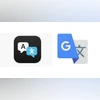
Apple Translate and Google Translate
Sweta Kumari New Delhi
2 min read Last Updated : May 20 2025 | 4:26 PM IST

Don't want to miss the best from Business Standard?

Google is reportedly rolling out an update to its Translate app that allows iPhone users to set it as their default translation tool—replacing Apple’s built-in Translate app. The change follows the release of iOS 18.4, which introduced the ability for users to set default apps for specific functions such as navigation, music, and translation.
 
According to a report by 9to5Mac, the latest version of Google Translate supports this new iOS setting, enabling it to be selected as the primary translation app on iPhones. Previously, translation features were handled through Apple’s Translate app, whether through Siri or system-level interactions like text selection pop-ups.
However, to access this feature, the iPhone must be running iOS 18.4 or later, and the latest version of Google Translate must be installed via the App Store. The functionality is rolling out gradually and may take some time to appear for all users.

Apple allowing third party apps to be set as default

Apple first introduced the ability to set third-party apps as default options in iOS 18.2, released in November last year. At launch, users could customise default apps across eight categories, including calling, messaging, keyboard, and password management. With the release of iOS 18.4, Apple expanded this functionality further to include new categories such as navigation, music, and translation, giving users greater control over their preferred app experience. 

How to set Google Translate as default translation app on iPhone

To make Google Translate your default translation app, follow these steps:
  • Open the Settings app on your iPhone.
  • Scroll down and tap on Apps.
  • Select Default Apps from the menu.
  • Tap on Translation.
  • Choose Google Translate from the list of available apps.
Once configured, system-wide translation actions—such as those initiated by Siri or text selection—will automatically open in Google Translate. 
*Subscribe to Business Standard digital and get complimentary access to The New York Times

Smart Quarterly

₹900

3 Months

₹300/Month

SAVE 25%

Smart Essential

₹2,700

1 Year

₹225/Month

SAVE 46%
*Complimentary New York Times access for the 2nd year will be given after 12 months

Super Saver

₹3,900

2 Years

₹162/Month

Subscribe

Renews automatically, cancel anytime

Here’s what’s included in our digital subscription plans

Exclusive premium stories online

  • Over 30 premium stories daily, handpicked by our editors

Complimentary Access to The New York Times

  • News, Games, Cooking, Audio, Wirecutter & The Athletic

Business Standard Epaper

  • Digital replica of our daily newspaper — with options to read, save, and share

Curated Newsletters

  • Insights on markets, finance, politics, tech, and more delivered to your inbox

Market Analysis & Investment Insights

  • In-depth market analysis & insights with access to The Smart Investor

Archives

  • Repository of articles and publications dating back to 1997

Ad-free Reading

  • Uninterrupted reading experience with no advertisements

Seamless Access Across All Devices

  • Access Business Standard across devices — mobile, tablet, or PC, via web or app

More From This Section

Topics :GoogleiPhonesGoogle Translate

First Published: May 20 2025 | 4:26 PM IST

Next Story