The Logitech MX Master series has long positioned itself differently from conventional computer mice. It is not limited to hardware input but operates as a software-backed productivity tool. Over the past few years, I have been using the
Logitech MX Master 3S alongside a Logitech keyboard as my primary input devices. This combination shaped how I interacted with macOS and Windows systems, enabling workflows that standard mice do not support.
The transition to the MX Master 3S from a generic mouse required an adjustment period. Its design, with a pronounced central hump and a dedicated thumb rest on the left, introduced a different hand posture. The customisable thumb button further changed how frequently used actions were accessed. Over time, these elements became integral to daily productivity, setting a high benchmark for what a successor would need to deliver.
Just when I thought it could not get any better, Logitech introduced the MX Master 4 as a successor to the MX Master 3S, bringing changes in design, additional buttons, an action ring, and haptic feedback. The update suggested an effort to expand interaction methods rather than simply refine existing ones. Given how central the MX Master 3S had become to my workflow, the introduction of these features warranted closer examination.
The promise of haptics and a new interaction layer positioned the MX Master 4 as more than an incremental update. It raised the question of whether these additions would translate into meaningful productivity gains or remain secondary enhancements.
A familiar shape with subtle refinements
The MX Master 4 retains the core design language of its predecessor. It remains a right-handed mouse with no alternative variant for left-handed users. The central hump and left-side thumb rest continue to define the form factor. However, there are refinements. The soft rubberised coating used previously has been replaced with a gradient-textured plastic surface. This change alters the tactile feel without deviating from the established shape.
The thumb rest button has also been repositioned to allow more natural thumb movement. While the change is subtle, it affects how frequently the button is used during extended sessions. The overall result is a mouse that feels immediately familiar to existing MX Master users, while offering slight ergonomic improvements.
New buttons and gesture-based navigation
One of the notable additions on the MX Master 4 is a new button on the left side, positioned alongside the back and forward buttons. When used with macOS, this button is mapped by default to Mission Control and supports gesture-based navigation. Holding the button and moving the mouse left or right allows users to switch between desktops.
This behaviour mirrors trackpad gestures found on MacBooks, offering an alternative for users who rely on desktop navigation features. The button is fully customisable, aligning with the MX Master series’ emphasis on adaptability through software.
Action ring as a new interaction layer
Another significant addition is the action ring, which is accessed through the thumb rest button. By default, pressing this button activates the action ring overlay, a new feature exclusive to the MX Master 4. Conceptually, it resembles iOS’s AssistiveTouch menu, providing quick access to a set of predefined actions.
On the MX Master 4, the action ring is context-aware. It adapts based on the application in use, where supported, and displays relevant actions accordingly. Users can configure up to eight actions, including commands that are not part of the default ring. This adaptability allows the action ring to serve as a central control hub for application-specific tasks.
Haptics
Haptic feedback underpins the action ring experience. The haptics provide confirmation when actions are triggered, adding a layer of tactile response that was absent in earlier models. Beyond the action ring, haptics are also noticeable when the mouse exits an idle, battery-saving state and becomes active again.
Where the experience falls short
Despite the added functionality, the MX Master 4 introduces issues that were not present in the previous generation. Logitech has stated that connectivity has been improved, but in practice, the mouse struggles briefly when waking from idle. For the first few seconds, cursor movement does not align with the configured DPI settings, and scroll direction can invert unexpectedly.
This behaviour occurs whether the mouse is connected via the USB-C dongle or through Bluetooth. It represents a regression from the MX Master 3S, which did not exhibit similar inconsistencies under the same conditions.
Another limitation is the dependence on the Logi Options+ application for editing the action ring. Changes cannot be made directly from the action ring overlay itself. Adjustments require opening the companion software, which interrupts workflow and reduces the immediacy of the feature.
The long-standing limitation of the MX Master series also remains. The advanced software features are confined to PCs. Since Logi Options+ is not available on Android tablets or Apple iPads, the mouse’s defining capabilities are not accessible on those platforms.
Verdict
The Logitech MX Master 4 expands the series’ productivity focus through haptics and the introduction of the action ring. These additions provide new ways to interact with applications and system controls. However, connectivity inconsistencies and continued software limitations prevent the experience from being seamless across all scenarios. The MX Master 4 builds meaningfully on its predecessor, but it also carries forward unresolved constraints that limit its reach beyond traditional desktop environments.
Price: Rs 15,995
Colours: Graphite, Pale Grey

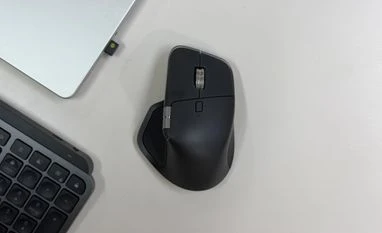 "Logitech MX Master 4 review: A familiar mouse, reimagined with haptics")


 Connect with us on WhatsApp