


Text message, phone call: How to check your PF balance without UAN
UAN is a unique identification number assigned to all employees registered under the EPF scheme
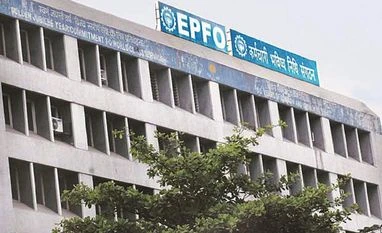 "EPFO")
Listen to This Article
The Employee Provident Fund (EPF) is a retirement savings scheme for salaried employees. While the UAN is the key to accessing EPF-related services, many employees may not have the number handy. However, they can still check their PF balance without UAN through alternative methods such as SMS and missed calls.
How to check your PF Balance without UAN?
Check PF Balance via SMS
Also Read

 "Spicejet")
 "Flight, plane, Airplane")
 "Navi Mumbai airport")
 "Godrej & Boyce")
 "Tesla CEO and X owner Elon Musk")
To receive your PF balance details via SMS, follow these steps:
Send an SMS to 7738299899 from your registered mobile number.
Use the format: ‘EPFOHO UAN [preferred language code]’.
For example:
To receive updates in English, send "EPFOHO UAN ENG".
To get updates in Marathi, send "EPFOHO UAN MAR".
You can choose from the following languages using their respective codes:
Language
Code
English
ENG
Hindi
HIN
Punjabi
PUN
Gujarati
GUJ
Marathi
MAR
Kannada
KAN
Telugu
TEL
Tamil
TAM
Malayalam
MAL
Bengali
BEN
Note: This service is available only if your UAN is active and linked with your bank account, Aadhaar, and PAN. If your UAN is not yet linked, you must complete eKYC verification before using this facility.
Check PF Balance via Missed Call
You can also check your EPF balance by giving a missed call from your registered mobile number. Follow these steps:
Dial 9966044425 from your registered number.
After the call disconnects automatically, you will receive an SMS with your PF balance details.
This service is free and no charges are applicable for checking your EPF balance via missed call.
How to find your UAN number?
If you don’t have a registered mobile number, retrieving your UAN (Universal Account Number) requires alternative methods. Here’s how you can find it:
Through your employer
Check your monthly salary slip, where the UAN is often mentioned.
Contact your HR or payroll department, as they can provide your UAN.
Using the UAN portal
Follow these steps to retrieve your UAN online:
Visit the UAN portal (https://unifiedportal-mem.epfindia.gov.in/).
Click on ‘Know your UAN’ under the ‘important links’ section.
Enter your mobile number and the captcha, then click ‘request OTP’.
Verify OTP received on your phone and click ‘validate OTP’.
Provide your name, date of birth, and one of the following: Aadhaar, PAN, or Member ID.
Enter the captcha and click ‘show my UAN’.
Your UAN will be displayed on the screen.
If you face any issues, you may contact the EPFO helpdesk or visit the nearest EPFO office.
More From This Section
 "UK colleges, UK education, Indian students")
 "UPI")
 "Mutual funds (MFs) managed a record Rs 66.2 trillion in assets during the July-September quarter, marking a 12.3 per cent increase over the previous three-month period — the highest quarterly jump in MF assets in at least five years.")
 "Donald Trump, Trump")
 "SIP, Systematic Investment Plan")
Topics : PF
Don't miss the most important news and views of the day. Get them on our Telegram channel
First Published: Feb 26 2025 | 1:16 PM IST