Home / Technology / Tech News / Google Drive's document scanner now available on iPhones and iPads: Details
Google Drive's document scanner now available on iPhones and iPads: Details
The new document scanner for Google Drive is now rolling out for both Google Workspace customers and users with personal Google Accounts on iOS and iPadOS
Google is rolling out the integrated document scanner feature on Google Drive for iPhone and iPad users.
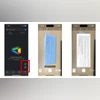
Google Drive application on iOS and iPadOS gets a dedicated floating action button for the document scanner above the ‘Add new’ button in the workspace, shared and files section. This action button launches a viewfinder that can automatically scan the document while also allowing manual capture.
The viewfinder also features grid lines to assist users in aligning the document correctly. The preview option available in the bottom-left corner lets users crop, rotate and apply filters to the scanned document.
The new document scanner for Google Drive is now rolling out for both Google Workspace customers and users with personal Google Accounts on iOS and iPadOS.
Google has also started to roll out a new homepage layout for Google Drive on the web, which has been under testing.
The Drive now features a streamlined homepage that shows personalised file and folder suggestions using machine learning algorithms. The new filter chips allow users to narrow down their search and find relevant files across Drive based on their type, modification date, location and people with whom it has been shared with.
The new layout design has started to roll out for select Google Account holders and will be available to all users by January next year.
Google Drive's homepage layout was recently redesigned on iOS and Android devices, too. The new design allows users to see more recommended files at once, such as those that have been recently opened, shared or edited.
The Notification log in Drive has been replaced with an Activity view section adjacent to 'Suggested'. This section showcases items that need user attention such as pending access requests, recent comments and awaiting approvals

 "Google Drive's document scanner now available on iPhones and iPads: Details")


 Connect with us on WhatsApp