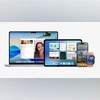
Apple platform updates: Rollout timeline
- Date: September 15
- Time: 10:30 PM IST (expected)
iOS 26: Eligible models
- iPhone 17 series: iPhone 17, iPhone 17 Pro, iPhone 17 Pro Max, iPhone 17 Air
- iPhone 16 series: iPhone 16, iPhone 16 Plus, iPhone 16 Pro, iPhone 16 Pro Max, iPhone 16e
- iPhone 15 series: iPhone 15, iPhone 15 Plus, iPhone 15 Pro, iPhone 15 Pro Max
- iPhone 14 series: iPhone 14, iPhone 14 Plus, iPhone 14 Pro, iPhone 14 Pro Max
- iPhone 13 series: iPhone 13, iPhone 13 mini, iPhone 13 Pro, iPhone 13 Pro Max
- iPhone 12 series: iPhone 12, iPhone 12 mini, iPhone 12 Pro, iPhone 12 Pro Max
- iPhone 11 series: iPhone 11, iPhone 11 Pro, iPhone 11 Pro Max
- iPhone SE (2nd generation and later)
iPadOS 26: Eligible models
- iPad Pro: iPad Pro (M4), iPad Pro 12.9-inch (3rd generation and later), iPad Pro 11-inch (1st generation and later)
- iPad Air: iPad Air (M3), iPad Air (M2), iPad Air (3rd generation, and later)
- iPad: iPad (A16), iPad (11th gen), iPad (10th gen), iPad (9th gen), iPad (8th gen)
- iPad Mini: iPad Mini (A17 Pro). iPad Mini (5th generation, and later)
macOS Tahoe 26: Eligible models
- MacBook Air with Apple silicon (2020 and later)
- MacBook Pro with Apple silicon (2020 and later)
- MacBook Pro 16-inch (2019)
- MacBook Pro 13-inch (2020, Four Thunderbolt 3 ports)
- iMac (2020 and later)
- Mac mini (2020 and later)
- Mac Studio (2022 and later)
- Mac Pro (2019 and later)
watchOS 26: Eligible models
- Apple Watch Series 6
- Apple Watch Series 7
- Apple Watch Series 8
- Apple Watch Series 9
- Apple Watch Series 10
- Apple Watch Series 11
- Apple Watch SE (2nd generation)
- Apple Watch SE (3rd generation)
- Apple Watch Ultra (all models)
iOS 26: How to download and install
- Go to Settings.
- Tap on General settings and go to the 'Software Update' section.
- If the iOS 26 update is available, the iPhone will show the option to 'Download and Install'. Tap on it to begin the process.
- Once the download is complete, you will get the option to update immediately, install later, or 'Remind Me Later'.
- Tap on ‘Install Now’ to update immediately or choose other options according to your convenience.
iPadOS 26: How to download and install
- Go to Settings.
- Tap on General settings and go to the 'Software Update' section.
- If the iPadOS 26 update is available, the iPad will show the option to 'Download and Install'. Tap on it to begin the process.
- Once the download is complete, you will get the option to update immediately, install later, or 'Remind Me Later'.
- Tap on ‘Install Now’ to update immediately or choose other options according to your convenience.
macOS Tahoe 26: How to download and install
- From the Apple menu in the corner of your screen, choose System Settings.
- Go to Settings in the sidebar then tap on General settings.
- Go to the Software Update section and your Mac will automatically check for updates
- If macOS Tahoe 26 is available, click the Update or Upgrade button to download and install
- When prompted enter the password you use to log in to your Mac.
- Allow installation to complete without putting your Mac to sleep or closing its lid.
watchOS 26: How to download and install
- Make sure that your iPhone is updated to iOS 26
- On your iPhone, open the Apple Watch app, then tap the My Watch tab.
- Tap on General and then ‘Software Update.’
- If the watchOS 26 update is available tap on Download.
- If asked for your iPhone passcode or Apple Watch passcode, enter it.
- Wait for the progress wheel to appear on your Apple Watch.
- Make sure your watch is connected to Wi-Fi.
- On your watch, open the Settings app.
- Tap General > Software Update.
- Tap Install if a software update is available, then follow the onscreen instructions.
You’ve reached your limit of {{free_limit}} free articles this month.
Subscribe now for unlimited access.
Already subscribed? Log in
Subscribe to read the full story →
Smart Quarterly
₹900
3 Months
₹300/Month
Smart Essential
₹2,700
1 Year
₹225/Month
Super Saver
₹3,900
2 Years
₹162/Month
Renews automatically, cancel anytime
Here’s what’s included in our digital subscription plans
Exclusive premium stories online
Over 30 premium stories daily, handpicked by our editors


Complimentary Access to The New York Times
News, Games, Cooking, Audio, Wirecutter & The Athletic
Business Standard Epaper
Digital replica of our daily newspaper — with options to read, save, and share


Curated Newsletters
Insights on markets, finance, politics, tech, and more delivered to your inbox
Market Analysis & Investment Insights
In-depth market analysis & insights with access to The Smart Investor


Archives
Repository of articles and publications dating back to 1997
Ad-free Reading
Uninterrupted reading experience with no advertisements


Seamless Access Across All Devices
Access Business Standard across devices — mobile, tablet, or PC, via web or app
)