Microsoft has provided an in-depth look at how Neural Processing Units (NPUs) are integrated into its latest Copilot+ PCs to enhance Windows experiences with advanced artificial intelligence (AI). NPUs are specialised chips designed to efficiently handle machine learning and small language models on-device, enabling features like smarter search, AI-assisted editing, and multitasking AI applications without relying solely on cloud processing.
Steven Bathiche, corporate vice-president, Microsoft, said, "AI features available on Windows create novel experiences, and we developed the hardware needed to support those experiences". These NPUs can process over 40 trillion operations per second (TOPS), allowing Windows devices to run AI tasks at scale while minimising power consumption.
What is an NPU and why does it matter?
An NPU differs from traditional processors like CPUs and GPUs. A CPU handles general computing tasks, multitasking, and a GPU focuses on graphics, animation, and gaming. An NPU, on the other hand, is purpose-built for AI workloads. According to Microsoft, its architecture processes vast amounts of data in parallel, making it highly efficient at tasks such as natural language understanding, image creation, and smart camera effects.
This efficiency allows the CPU to manage multitasking, the GPU to focus on graphics and gaming, and the NPU to handle AI workloads locally. By processing AI tasks on-device, Microsoft says Copilot+ PCs can deliver sophisticated AI experiences at more affordable price points, which historically would have required high-end, cloud-dependent systems.
Microsoft highlights several key capabilities enabled by NPUs in Copilot+ PCs:
Semantic Windows Search: Users can search across files, photos, and settings using natural language queries, improving relevance and speed.
Click to Do: Shortcuts on-screen let users summarise text, copy content, rewrite passages, or even create bulleted lists from selected text.
Photos app relight: AI-driven lighting adjustments let users edit photos professionally without complex tools, correcting poor lighting or applying creative effects intuitively.
Multitasking AI: Multiple AI-driven applications can run simultaneously, as the NPU handles small language models locally while optionally leveraging cloud processing for larger models.
AI Agents: Intelligent assistants can perform tasks on behalf of users, such as adjusting hard-to-find Windows settings or providing context-aware suggestions.
While explaining the evolution, Microsoft wrote, “The road to developing the NPU for Copilot+ PCs started years ago with the Surface Hub 2 Smart Camera. Its ability to perform sophisticated AI tasks, like reframing video and correcting perspective locally with a dedicated processor, provided a compelling proof-of-concept that powerful on-device AI processing could improve user experiences in real time, such as eye contact, enhanced background blur and AI audio denoising, which means removing background noise.”
Microsoft adapted these lessons to mainstream PCs in collaboration with AMD, Intel, and Qualcomm, delivering on-device AI that combines speed, efficiency, and responsiveness.
By offloading AI workloads to NPUs, Copilot+ PCs reduce dependency on cloud computing, save battery life, and allow for more complex and simultaneous AI tasks. This setup positions Windows to leverage increasingly sophisticated AI models while maintaining flexibility across different device configurations. Ultimately, NPUs in Copilot+ PCs aim to make AI more intuitive, efficient, and integrated into everyday computing.

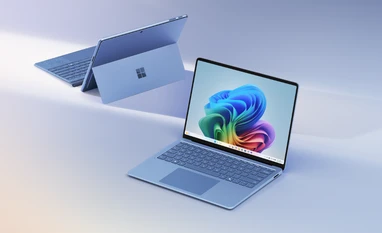 "Microsoft explains NPU and its role in Copilot+ PC platform for Windows")


 Connect with us on WhatsApp