Samsung is reportedly introducing a new feature for Galaxy smartphone users that can automatically block apps sending too many advertisement notifications. According to SammyGuru, the feature is part of Samsung’s One UI 8.5 update and is designed to reduce spammy alerts from apps that frequently push ads through notifications. Instead of acting like a traditional ad blocker, the system focuses specifically on apps that send excessive promotional notifications and limits their activity automatically.
Samsung has started expanding the rollout of One UI 8.5 to more Galaxy devices, bringing new Galaxy AI features and interface improvements across its smartphone and tablet lineup. The update began rolling out in Malaysia from May 11 and is expected to reach more regions soon.
What the new feature does
According to the report highlighted by SammyGuru, Samsung has added a setting called “Block apps with excessive ads.” When enabled, the feature can identify apps that repeatedly send advertisement alerts and move them into “deep sleep” mode. Samsung said that the app marked for excessive alerts can later be viewed inside Settings > Device Care > Care Report > Excessive Alerts.
The report noted that the apps sending “frequent advertisement alerts” may be blocked to stop them from disturbing users. Once an app is placed into deep sleep, its background activity becomes heavily restricted.
Two blocking modes available
Samsung is reportedly offering two different blocking options for the feature. The first is a “Basic” mode, which blocks apps based on Samsung’s existing data whenever such apps are detected on the device.
The second option is an “Intelligent” mode. In this mode, the system analyses notification behaviour and automatically determines whether an app is sending too many advertisements through notifications. This means Galaxy devices may be able to detect spam-like notification behaviour without users manually blocking each app themselves.
One UI 8.5 rollout details
Samsung has started rolling out One UI 8.5 to supported Galaxy devices. The update first appeared with the Samsung Galaxy S26 series and is now expanding to more phones and tablets. According to Samsung, the update is reaching devices, including:
- Galaxy S25 Ultra, S25 Plus, S25, S25 FE
- Galaxy S24 Ultra, S24 Plus, S24, S24 FE
- Galaxy Z Fold 7
- Galaxy Z Flip 7
- Galaxy Z Fold 6
- Galaxy Z Flip 6
- Galaxy Tab S11 Ultra, S11
- Galaxy Tab S10 Ultra, S10 Plus, S10 Lite
The rollout reportedly began in South Korea on May 6 and expanded to Malaysia from May 11, with more regions expected soon.
One UI 8.5: Features
Samsung’s One UI 8.5 update focuses heavily on AI-powered experiences, content creation tools, and ecosystem connectivity.
Now Nudge: It is a contextual AI feature in One UI that proactively surfaces suggestions, reminders and actions based on user activity, routines and on-screen context. It reduces manual interactions by offering prompts such as navigation suggestions, app shortcuts, reminders, or task recommendations directly within the interface.
Photo Assist: The major addition is an upgraded Photo Assist feature that allows users to continuously generate and edit images without saving every version separately. Samsung said all edits are automatically stored in a history panel, enabling users to revisit and restore previous versions when needed.
Quick Share: Samsung has also upgraded Quick Share by making file transfers smarter. The feature can now recognise people appearing in photos and recommend contacts accordingly for faster sharing. Samsung also claimed that One UI 8.5 users will be able to share files with iOS devices directly through Quick Share, removing the need for third-party apps.
Bixby update: Samsung Bixby is also getting an upgrade aimed at making conversations feel more natural. Instead of depending on exact voice commands, the assistant is being improved to better understand everyday language and user intent.
According to Samsung, users can adjust settings simply by describing what they want instead of manually navigating menus. The assistant can also review existing device settings, suggest relevant changes, and retrieve real-time web information directly within the interface.
Storage Share: The update also introduces Storage Share, allowing users to access files across Galaxy smartphones, tablets, PCs, and TVs directly through the My Files app. The feature is aimed at creating a more unified cross-device storage experience.
Other additions: It includes Audio Broadcast, which enables users to stream media and voice simultaneously to nearby LE Audio-compatible devices through Auracast support. Samsung said this could improve shared listening experiences in group settings.
Security features: On the security front, Samsung said One UI 8.5 introduces several new protections aimed at strengthening device safety. These include Theft Protection for safeguarding user data if a device is lost or stolen, along with a Failed Authentication Lock feature that automatically locks the device after repeated failed attempts involving fingerprints, PINs, or passwords.
Samsung also noted that Identity Check now extends to more settings and controls, adding another layer of protection against unauthorised access while giving users greater control over device security features.

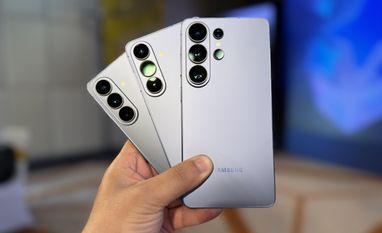 "Samsung phones may soon block apps that spam users with ad notifications")


 Connect with us on WhatsApp