Home / Technology / Tech News / Apple releases hypertension notifications to eligible Watch models in India
Apple releases hypertension notifications to eligible Watch models in India
Apple has released hypertension notifications for eligible Watch models in India, using 30-day pattern detection through the optical heart sensor on select devices running watchOS 26
Apple has released hypertension notifications to eligible Watch series models in India. Announced in September with the Apple Watch Series 11 launch, the hypertension notifications feature detects patterns related to hypertension over a 30-day period, using data from optical heart sensor on eligible Apple Watch series running the latest version of watchOS 26.
Eligible models
Apple Watch Series 9 or later
Apple Watch Ultra 2 or later
The Hypertension Notifications feature is not available with Apple Watch SE.
Prerequisites
iPhone 11 or later with the latest version of iOS.
Wrist Detection is turned on.
You must be 22 years or older, not pregnant and have not been diagnosed with hypertension.
What are hypertension notifications
Hypertension, also referred to as high blood pressure, is a silent killer that usually goes unnoticed. It is an ongoing condition, which can cause damage to the heart, blood vessels and other organs. As the feature name suggests, eligible Apple Watch series can detect the patterns related to hypertension over a 30-day period from the day the feature is set up, using data from the optical heart sensor, and sends a notification to alert the user.
How to set up the feature
Open the Health app on your iPhone.
Tap your profile icon in the top-right corner.
Tap Health Checklist under Features.
Tap Hypertension Notifications.
Confirm your age and if you have been diagnosed with hypertension, then tap Continue.
Follow the on-screen prompts to complete the setup.
What should you do when you receive a notification
Track blood pressure: If you receive a notification, Apple Watch series will prompt you to set up a ‘Blood Pressure Log’. Since Apple Watch cannot take blood pressure reading directly, you need a third-party blood pressure cuff to measure your reading.
Log the readings: After each reading, you can add the systolic and diastolic values to the Blood Pressure Log in the Health app.
Plan a visit to the doctor: The notification prompts you to discuss the alert and your blood pressure measurements with a healthcare professional at your next appointment. With seven-day log available in Blood Pressure Log, you can share it with your healthcare provider.
Things to know
On its support page, Apple has stated the following:
Hypertension notifications feature is not intended to diagnose, treat or aid in the management of hypertension or other conditions such as blood clots, stroke, atrial fibrillation, congestive heart failure or high cholesterol.
Not all people with hypertension will receive a notification.
Apple Watch cannot detect heart attacks. If you ever experience chest pain, pressure, tightness or what you think is a heart attack, call emergency services immediately.
If you have an active pregnancy logged in the Health app, you can’t enable the hypertension notifications feature.

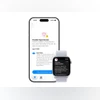 "Apple releases hypertension notifications to eligible Watch models in India")


 Connect with us on WhatsApp