Microsoft brings Copilot Vision with on-screen awareness to free-tier users
Previously a Pro-only feature, Copilot Vision now helps users by visually analysing apps and websites to deliver context-aware assistance in real time
Aashish Kumar Shrivastava New Delhi Microsoft in April rolled out a new feature—
Copilot Vision—that allowed users to share their screen or apps so that the
artificial intelligence (AI) assistant could coach them through things or analyse the web pages they were viewing. The said feature was only available to paid users earlier; however, now this is being rolled out to all users in the US region, irrespective of whether they are a Copilot Pro subscriber or not. According to a Microsoft blog post, it will soon be “coming to more non-European countries soon.”
What is Copilot Vision?
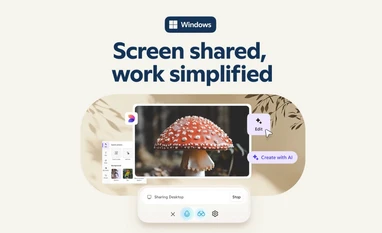
Copilot Vision on Windows functions inside the Copilot app and is activated by clicking a glasses-shaped icon. This allows users to choose which app or browser window they want to share with the AI—similar to screen sharing in a Teams call. The feature is entirely opt-in, meaning it only works when a user explicitly selects content to share. Unlike Microsoft’s Recall, which captures screen activity continuously once turned on, Copilot Vision does not run in the background and only views what users choose to show.
Copilot Vision allows Microsoft’s AI assistant to visually interpret what’s on users’ screen in real time. Once enabled, it can view and analyse the contents of the apps or browser windows users choose to share, offering relevant assistance based on what it “sees.” Unlike traditional chat-based assistants, Copilot Vision functions more like a second set of eyes—capable of providing contextual help, explaining on-screen information, or walking users through complex tasks without requiring them to describe everything manually.
At its core, this feature allows users to share up to two active apps with Copilot, enabling it to respond with insights that directly relate to what they’re working on. It can point out elements on the screen, guide them step-by-step through a process using the new “Highlights” feature, and connect information across different windows. Whether they’re editing a photo, filling out a form, or navigating software for the first time, Copilot Vision can highlight exactly where to click and what to do—turning AI support into something more interactive, precise, and efficient.

 "Microsoft brings Copilot Vision with on-screen awareness to free-tier users")


 Connect with us on WhatsApp