Microsoft is moving further towards a password-free future. Starting May 1, all new Microsoft accounts will be created without a traditional password by default. Instead, users will be prompted to use more secure alternatives such as passkeys, which rely on face, fingerprint, or PIN authentication.
The company confirmed that users will no longer be prompted to set up a password during the account creation process. These changes are part of Microsoft's broader effort to make its authentication systems simpler and more secure.
Microsoft Account: New Changes
New sign-in user experience (UX):
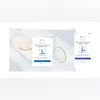
Earlier this year, Microsoft introduced a refreshed visual design for its sign-in and sign-up flows. The company said the new experience is more modern and streamlined, with a focus on guiding users towards passwordless options.
New accounts are passwordless by default:
New Microsoft accounts will now default to passwordless sign-in. Instead of requiring a password during set-up, users will be offered several secure alternatives such as passkeys. Existing users can also opt in by removing their passwords through their account settings.
Microsoft is also rolling out a smarter sign-in experience that automatically selects the most secure method available for the user’s account. For example, if a user has both a password and a one-time code configured, they’ll be prompted to use the one-time code. After signing in, users will be encouraged to enrol a passkey for future use.
The company says that as more users adopt passkeys, reliance on passwords will continue to drop—paving the way for their eventual removal altogether.
What is a passkey
A passkey is a cryptographic alternative to passwords. When a user creates a passkey, two keys are generated: a public key stored by the service (in this case, Microsoft), and a private key stored securely on the user’s device. To authenticate, users can simply use their device’s built-in security features like facial recognition or a fingerprint scan.
Passkeys are built on the WebAuthn standard and are designed to work across devices. In the event a device is lost, users can regain access through back-up or synced credentials through cloud services like iCloud Keychain or Google Password Manager.

 "Microsoft to make new accounts password-free by default: What changes")


 Connect with us on WhatsApp