Google's NotebookLM update brings Nano Banana visuals, new formats and more

NotebookLM's Video Overviews now feature Nano Banana visuals and two new formats, Explainer for depth and Brief for quick insights into uploaded documents

NotebookLM gets Nano Banana tool and new formats
Sweta Kumari New Delhi
2 min read Last Updated : Oct 14 2025 | 1:43 PM IST

Don't want to miss the best from Business Standard?

Google’s NotebookLM is updating its Video Overviews feature with the Nano Banana imaging tool to make document summaries more illustrative. Additionally, users can now choose between two formats, detailed Explainers for in-depth understanding and Briefs for quick summaries. According to the company, the update offers flexibility when reviewing dense or complex documents.

Visual upgrades powered by Nano Banana

 
According to Google’s blog, the addition of the Nano Banana tool enhances NotebookLM’s visual generation capabilities. The tool creates illustrations that are relevant to the uploaded content, helping transform static summaries into engaging, informative videos. The company stated that these visuals are not only meant to look better but also to help users better retain and understand complex material. 
The updated Video Overviews can now appear in one of six artistic styles: Watercolor, Papercraft, Anime, Whiteboard, Retro Print, and Heritage. Each style gives a distinct look to the videos, which allows users to choose how their summaries appear and feel.

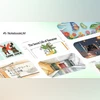
Two new viewing options

 
Google is also adding options to how users watch Video Overviews. Instead of a single video style, NotebookLM now offers two distinct formats:
  • Explainer: A detailed, structured video to give users a deep understanding of lengthy or complex material.
  • Brief: A new, concise video format that delivers the essential takeaways, core ideas from a document in a brief manner.
ALSO READ: Vivo X300 and X300 Pro with MediaTek Dimensity 9500 unveiled: Details here 

To create the new video overview:

 
  • Select your sources in NotebookLM and click the “Video Overview” button.
  • Click the pencil icon on the Video Overview tile to customise your video.
  • Choose the preferred format and visual style for the video.
  • Add specific prompts, such as: “Focus only on the cost analysis sections of the business plan.”
  • The video is then automatically generated.
*Subscribe to Business Standard digital and get complimentary access to The New York Times

Smart Quarterly

₹900

3 Months

₹300/Month

SAVE 25%

Smart Essential

₹2,700

1 Year

₹225/Month

SAVE 46%
*Complimentary New York Times access for the 2nd year will be given after 12 months

Super Saver

₹3,900

2 Years

₹162/Month

Subscribe

Renews automatically, cancel anytime

Here’s what’s included in our digital subscription plans

Exclusive premium stories online

  • Over 30 premium stories daily, handpicked by our editors

Complimentary Access to The New York Times

  • News, Games, Cooking, Audio, Wirecutter & The Athletic

Business Standard Epaper

  • Digital replica of our daily newspaper — with options to read, save, and share

Curated Newsletters

  • Insights on markets, finance, politics, tech, and more delivered to your inbox

Market Analysis & Investment Insights

  • In-depth market analysis & insights with access to The Smart Investor

Archives

  • Repository of articles and publications dating back to 1997

Ad-free Reading

  • Uninterrupted reading experience with no advertisements

Seamless Access Across All Devices

  • Access Business Standard across devices — mobile, tablet, or PC, via web or app

More From This Section

Topics :Tech NewsGoogle's AIGoogle imagesAI Models

First Published: Oct 14 2025 | 1:43 PM IST

Next Story