Home / Technology / Tech News / Microsoft integrates 1Password with Windows 11 for passkey-based sign-ins
Microsoft integrates 1Password with Windows 11 for passkey-based sign-ins
Microsoft's latest Windows 11 Dev build adds 1Password integration, allowing users to sign in with passkeys via Windows Hello. The update also includes browser and voice access improvements
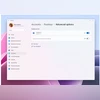
Enabling plugin passkey services in Settings (Image: Microsoft)
Microsoft has rolled out a new Windows 11 Insider Preview Build for the Dev Channel, introducing several new features, including enhanced support for password-less sign-ins. Among the key updates is the integration of passkey management with 1Password, the popular credential manager.
The update is part of Microsoft’s wider push to offer a more secure and user-friendly login experience by adopting passkeys, a modern alternative to passwords that relies on biometric authentication.
Passkey support with 1Password
In collaboration with 1Password, Microsoft is enabling users to create and use passkeys on Windows 11 devices through the plugin credential manager. This feature is available in the latest Dev Channel build and allows passkeys to work seamlessly with Windows Hello.
On the Windows 11 PCs running the latest developer build:
Install the 1Password beta on your Windows 11 PC
Go to Settings – Passkeys – Advanced options
Enable the plugin credential manager
Toggle on support and verify identity using Windows Hello (face, fingerprint, or PIN)
Once configured, users can sign in to supported websites using passkeys already saved in their credential manager or create new ones during website registrations. The setup ensures both security and convenience by replacing traditional passwords with biometric authentication.
Microsoft says this is a step toward its vision of a password-less future, streamlining the sign-in process while maintaining strong user identity verification.
Other changes in Windows 11 Dev Build
This build also updates the version label under Settings to 25H2, marking it as the annual feature update scheduled for release in the second half of 2025.
Voice Access: Support for Japanese voice access has been temporarily disabled. Microsoft is addressing known issues before re-enabling it.
Settings updates (EEA only): As introduced in Build 26200.5603, users in the European Economic Area can now manage their default browser from Settings.
The newly set browser is automatically pinned to both the Taskbar and Start Menu
Users can opt out by unchecking pinning options during the browser change process

 "Microsoft integrates 1Password with Windows 11 for passkey-based sign-ins")


 Connect with us on WhatsApp