Opera Neon browser with agentic AI capabilities launched: Check features
Opera Neon introduces agentic AI tools like Tasks for workspace organisation, Cards for reusable prompts, and Neon Do for automated web navigation
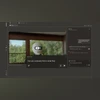
Harsh Shivam New Delhi Opera has launched its new Opera Neon web browser, introducing a suite of agentic AI tools designed to perform tasks directly on behalf of users. These include Tasks for automated organisation, Cards for reusable prompts, and Neon Do, a feature capable of navigating the web and executing actions independently.
“We built Opera Neon for ourselves – and for everyone who uses AI extensively in their day-to-day life,” said Krystian Kolondra, EVP of Browsers at Opera. “Today, we welcome the first users who will help shape the future of agentic browsing with us.”
Opera Neon: Features
Tasks:
The Tasks feature creates self-contained workspaces that integrate websites, documents, AI chats, and searches in one place. Opera says these workspaces are context-aware, allowing the AI to analyze, compare, and act across multiple sources at once. Effectively, it works like a mini-browser dedicated to a single task, where the AI understands user intent and assists within that context.
Cards:
Cards are described as reusable prompt instructions that users can apply individually or in combination. Think of them as a stack of AI behaviours that can be deployed whenever needed.
For example, when shopping online, users could pair a pull-details card with a comparison-table card to streamline product comparisons. During meetings, they might combine key-decisions, action-items, and follow-ups cards for note-taking. Users can build their own Cards, or select from community-created options available in the Cards Store.
Neon Do:
The flagship feature, Neon Do, is a fully agentic AI tool that operates directly within the browser rather than in the cloud. It can open and close tabs, perform actions across them, and execute workflows inside an authenticated browser session—eliminating the need to share passwords or reauthenticate repeatedly.
When activated within a Task, Neon Do can navigate websites, check multiple sources, compare details, fill forms, and collect information. In cases where user input is required, the AI pauses and waits for manual confirmation before proceeding.
Opera Neon: Availability
Opera Neon is launching as a subscription-based browser and is currently being rolled out to a limited set of users. Those interested in trying it out can register on the official Opera Neon website to join the waitlist and gain early access.

 "Opera Neon browser with agentic AI capabilities launched: Check features")


 Connect with us on WhatsApp