


Apple releases iOS 18.5 developer beta 3: Check new features, improvements
With iOS 18.5 developer beta, Apple has fixed an issue where Siri requests to play a song in Apple Music might fail across multiple platforms
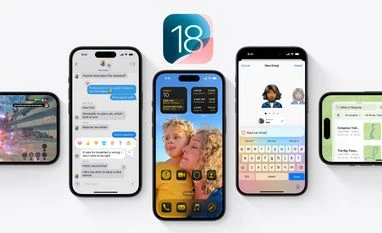 "iOS 18")
iOS 18
Listen to This Article
Apple has rolled out the third developer beta for iOS 18.5, addressing multiple user-reported issues and performance bugs. While the update doesn’t introduce any new features, it brings the platform one step closer to its final release—expected in early May.
With iOS 19 set to debut at WWDC 2025 on June 9, Apple appears to be wrapping up work on iOS 18.5 with only minor refinements in focus.
iOS 18.5 developer beta 3: What is fixed
According to the official release notes, iOS 18.5 beta 3 resolves several known issues, including:
- Enterprise apps failing to launch: Apple notes that users encountering this issue should uninstall and reinstall all enterprise apps on their devices.
- Siri failing to play Apple Music songs across multiple platforms.
- Apple Intelligence-powered Writing Tools: Fixes applied for text suggestion-related glitches.
- StoreKit bugs: Resolved issues affecting in-app purchase testing and developer functions.
- Vision Pro app fix: A bug causing a black screen upon opening the app has been fixed. The Vision Pro app was introduced in iOS 18.4 to manage content for Apple’s mixed reality headset.
iOS 18.5: New feature
Changes in Mail app
iOS 18.5 will introduce minor but useful user interface (UI) enhancements in the Mail app. The three-dot menu now includes:
Also Read

 "iPhone 16 ProiPhone 16 Pro")
 "Nintendo Switch 2")
 "apple, apple logo")
 "Apple Watch Series 10")
 "iPhone, Apple iPhone")
- A toggle to show or hide Contact Photos.
- A direct option to disable "Group by Sender"—feature previously only accessible through the Settings app.
New AppleCare management option
A new AppleCare section is being added under Apple Account settings. This will allow users to:
- View AppleCare coverage details for their devices.
- Access the new “Manage Plan” option to renew coverage.
These options are found by selecting a device from the user's list under the Apple ID menu in the Settings app.
More From This Section
 "Garena Free Fire Max")
 "Tech Wrap April 21")
 "Assassin's Creed Shadow")
 "YouTube Music")
 "Tesla")
Topics : Apple Apple iOS Apple iOS bugs Technology
Don't miss the most important news and views of the day. Get them on our Telegram channel
First Published: Apr 22 2025 | 10:25 AM IST