


Google Meet adds 'Ask Gemini AI' to summarise, catch up, and more: Details
Google's Ask Gemini in Meet brings AI summaries, recaps, and action item tracking for Workspace users, targetted at improving meeting productivity
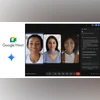 "Ask Gemini in Google Meet")
Ask Gemini in Google Meet (Image: Google)
Listen to This Article
Google is introducing the Ask Gemini AI assistant to its video conferencing service Meet, bringing AI-powered features for select Workspace users to improve meeting productivity. Ask Gemini in Meet will allow users to summarise discussions, get recaps of what others have said, identify action items and decisions, and catch up on what they missed if they joined late, provided the “Take Notes for Me” feature was enabled.
Ask Gemini in Google Meet: Details
According to the Google, interactions and responses from Ask Gemini will remain private to each user. The tool will generate answers based on meeting captions, Google Workspace resources such as Docs, Sheets, Slides, Gmail, and other content the user has permission to view, along with information from Google Search and public websites.
Google reiterated that no meeting data or captions will be stored after the meeting ends, and Ask Gemini does not create records. According to the company, the tool cannot answer questions about discussions that occurred before a user joined, unless “Take Notes for Me” was already on.
Currently, Ask Gemini in Meet supports only English and is limited to desktop use. The feature is not available in breakout rooms. Google noted that Gemini in Workspace may produce errors, including about people, so outputs should be reviewed carefully.
Also Read

 "Google Discover feed update")
 "Google Gemini in Apple App Store and Google Play Store")
 "Google's experimental search app")
 "Google")
 "Google")
Ask Gemini in Meet: Admin, host, and participant controls
- Admins: Ask Gemini in Meet will be turned on automatically. Admins can switch it on or off for their whole organisation, specific groups, or teams in the Admin console under Google Workspace.
- Meeting hosts and co-hosts: Hosts can turn Ask Gemini off for everyone in a meeting. They can do this from the Calendar event, during the meeting by clicking the Gemini icon and selecting the three-dot menu, or through Host controls.
- Meeting participants: Everyone in a meeting with Ask Gemini enabled will see a consent message. If someone joins by dialling in, they will hear an announcement that Ask Gemini is active. Users who have Smart Features turned off will not be able to use Ask Gemini.
Availability
According to the Google, the feature is already available for certain Enterprise and Business Workspace plans. For Rapid Release domains, rollout begins September 29, 2025, and for Scheduled Release domains, rollout starts in October and is expected to finish by October 17.
Currently, Ask Gemini in Meet is available for Google Workspace Business Plus customers and will expand to Enterprise Standard, Enterprise Plus, and other Google Workspace customers in late 2025 or early 2026, following user feedback.
More From This Section
 "Meta Ray-Ban Display, Ray-Ban Meta (Gen 2), Oakley Meta Vanguard glasses")
 "Apple, Apple store")
 "Nothing Ear 3")
 "iPhone 16 Pro Max")
 "The Meta Ray-Ban Display glasses")
Don't miss the most important news and views of the day. Get them on our Telegram channel
First Published: Sep 18 2025 | 11:42 AM IST