


Google's Veo 3.1 update enhances Flow with smarter AI video tools: Details
Veo 3.1 adds lifelike visuals, richer audio, and smarter Flow tools, giving creators more cinematic control and flexibility in AI-generated videos
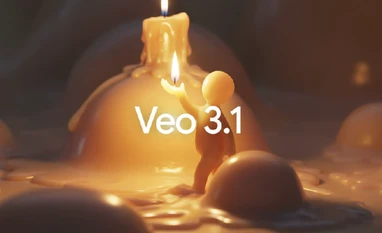 "Veo 3.1")
Veo 3.1
Listen to This Article
Google has introduced Veo 3.1, the latest version of its artificial intelligence (AI)-powered video generation model, alongside major enhancements to its Flow filmmaking tool. According to the company, the new update aims to make video creation more cinematic, realistic, and intuitive, empowering creators to produce professional-quality visuals with minimal effort. Built on the Veo 3 model introduced at Google I/O 2025, Veo 3.1 brings significant improvements in both audio and visual quality. The model is designed to produce videos with true-to-life textures, dynamic lighting, and enhanced storytelling depth.
Google Veo 3.1: Details
According to Google, Veo 3.1 builds on the earlier Veo 3, which was launched at Google I/O 2025. The new version produces videos with richer audio, lifelike textures, and a better understanding of storytelling and character interaction. Google said that the model can now better interpret cinematic styles, giving creators more control over how their scenes look and feel. The image-to-video feature has also been improved to follow prompts more accurately, creating higher-quality videos with smoother visuals and sound.
The model is available in two versions: Veo 3.1 and Veo 3.1 Fast. These are available through the Gemini app, Gemini API, and Vertex AI. It supports text-to-video and image-to-video creation in both horizontal (16:9) and vertical (9:16) formats.
Also Read

 "Help me edit tool in Google Photos app")
 "Gmail's purchase tracking view and upgraded Promotions tab")
 "Google Gemini AI Plus")
 "AI Mode")
 "Google Gemini AI model, Google's new AI model, Google's new multimodal AI model, New Google AI, Gemini AI, Gemini Ultra AI, Gemini Pro AI, Gemini Nano AI, Gemini AI support, Gemini AI on Bard, Gemini AI on Pixel 8 Pro, Gemini AI on Google Chrome, Gem")
Flow update
Google has also upgraded its AI filmmaking tool Flow with Veo. Flow is also getting new editing tools that make video creation more flexible. Users can now insert objects or characters into a scene, with Google’s AI automatically adjusting lighting and shadows to make the additions look natural. According to the Google blog, this update will also let users remove objects or people from clips, with Flow recreating the background to make the edit seamless.
Flow now supports audio generation in its main tools:
- Ingredients to Video: This allows users to combine several reference images to create scenes that include multiple objects, characters and styles.
- Frames to Video: It allows users to choose starting and ending frames, and Flow fills in the motion between them for smooth transitions.
- Scene Extension: This helps in extending a video clip by continuing the scene naturally from its final moments.
More From This Section
 "Honor Robot phone")
 "OnePlus OxygenOS 16 launching in India")
 "Google's latest security features")
 "Representative image: PS5 Slim, MacBook Air M4, iPhone Air, Nothing Phone 3")
 "Instagram's Diwali themed effects")
Don't miss the most important news and views of the day. Get them on our Telegram channel
First Published: Oct 16 2025 | 5:11 PM IST