


YouTube updates TV app with UI tweaks, new features: Here is what's new
The updated YouTube TV app offers several dedicated shelves and tabs to make navigation easy within the app. Moreover, it introduces watch time analytics for each device type for creators
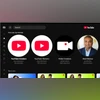 "YouTube's updated Tv app")
YouTube's updated Tv app (Image: YouTube)
Listen to This Article
YouTube has rolled out several updates for its TV app aimed at making content discovery on smart TVs and gaming consoles intuitive. A key enhancement is the introduction of new content shelves designed to bring personalised recommendations to the forefront, based on a user’s past searches and viewing patterns.
The platform is focusing on making it easier for users to browse and access diverse content categories.
What’s new in the YouTube TV app update
With the latest update, a “Continue your search” shelf now showcases a user’s top three recent searches, enabling easy resumption of previous explorations. Similarly, the “Listen again” shelf provides quick access to a user’s most-played music track, improving the listening experience on TV.
A new “Live performances, remixes, and covers” shelf features alternative versions of favourite tracks, in addition to the official ones. For users subscribed to “Primetime Channels”, the app offers a dedicated shelf displaying the most recently searched and watched content from those services.
Additionally, the “From your top channels” shelf highlights a user’s most-watched YouTube channels in one place.
Also Read

 "Securities and Exchange Board of India, Sebi")
 "Folk Artist Neha Singh Rathore")
 "Ranveer Allahbadia")
 "YouTube Music")
Other key features
- Shorts: A Shorts row has been added to the “Watch Next” feed, with a separate shelf in the Subscriptions tab. This separates Shorts from long-form content, offering a cleaner browsing experience.
- Podcasts tab: Located in the Library section, this tab allows users to return to their favourite podcasts without manually searching for them.
- Loop more content: Users can now loop any video on demand (VOD), not just playlists. This can be enabled via Playback Settings.
- Improved preview experience: Inline previews are now available across more surfaces such as channel and topic pages. Fullscreen immersive channel previews have also been introduced, providing a more visual and engaging overview of creator channels.
Watch time analytics for creators
Creators now have access to device-specific watch time breakdowns, including TV, mobile, desktop, and tablet. This data is available under “Device Type” in YouTube Studio Analytics, helping creators better understand viewer behaviour across platforms.
More From This Section
 "Samsung Galaxy S24 lineup")
 "Apple and Google Gemini")
 "Gemini")
 "Fortnite (Epic Games)")
 "Android 16 (Image: Google)")
Topics : YouTuber YouTube YouTube videos
Don't miss the most important news and views of the day. Get them on our Telegram channel
First Published: May 01 2025 | 1:22 PM IST