


Asus Zenbook A14 (Snapdragon X) review: A sleek AI PC with stellar battery
At Rs 99,990, the Snapdragon X-powered Asus Zenbook A14 delivers solid build quality, premium design, an enjoyable typing experience, and excellent battery life
 "Asus Zenbook A14 with Qualcomm Snapdragon X chip")
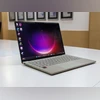
Asus Zenbook A14 with Qualcomm Snapdragon X chip
Listen to This Article
Asus recently launched the Zenbook A14 in India, a sleek and lightweight laptop powered by Qualcomm’s latest Snapdragon X platform. Being a Copilot Plus PC, the laptop combines AI-first features with a focus on all-day battery life and ultra-portability. But beyond its stylish exterior and forward-looking chipset, how well does it perform in real-world use? And does it manage to balance usability, and performance for everyday users? Let’s find out.
Design
The Asus Zenbook A14 stands out for its lightweight and compact build. The Zabriskie Beige colourway, combined with a matte stone-like texture, gives it a distinctly premium look and feel. It’s also slim and lightweight, thanks to Asus’ proprietary “Ceraluminum” chassis — a blend of ceramic and aluminium reinforced with magnesium.
According to Asus, this material makes the chassis 30 per cent lighter while being up to three times stronger than standard aluminium. After over a month of daily use, the durability holds up — not even a faint scratch has shown up on the body.
Asus also includes a vegan leather sleeve in the box, which not only complements the design but also enhances portability — already one of this device’s strongest suits.
Also Read

 "ASUS Vivobook S14, S14 Flip (ASUS)")
 "cybersecurity laptop working")
 "Tech Wrap April 8")
 "ASUS Zenbook S16 and Vivobook 16 (ASUS)")
 "ASUS TUF F16")
That said, the matte texture and light beige finish tend to attract smudges and dirt quite easily, necessitating frequent wiping. Another minor drawback is the bottom rubber grips: although they run across the base for better traction, the laptop occasionally slides around on smoother surfaces. Lastly, the hinge design doesn’t allow the lid to open a full 180 degrees, which can be slightly inconvenient, especially if you're using an external monitor but still need access to the laptop’s keyboard.
Display and audio
The display is another strength of the Asus Zenbook A14. It features a 14-inch OLED panel with a 1920 x 1200 resolution, which is sharp enough for reading text and viewing content in detail. The OLED screen delivers excellent contrast and deep blacks, making it well-suited for both productivity and media consumption. Colour accuracy holds up well across different types of content, and the claimed peak brightness of 600 nits is reflected in real-world use. The display remains bright and legible in most indoor lighting conditions and holds up reasonably well outdoors too.
That said, the refresh rate is capped at 60Hz, which might feel like a step down if you're used to faster panels. Another minor drawback is the plastic bezel around the screen. While it does not look cheap, it detracts from the overall fit and finish of the device.
The built-in, bottom firing, dual speakers on the Asus A14 deliver fairly typical laptop audio—serviceable, but not particularly impressive. The output is fine for casual streaming, video calls, and watching YouTube or Netflix, but it lacks the depth and clarity needed for music or dialogue-heavy movies. For anything beyond basic use, you'll likely want to plug in headphones or connect an external speaker.
Features and ports
The 1080p webcam delivers a relatively sharp image, though colours tend to be oversaturated. It does include an IR sensor for Windows Hello facial recognition, which is convenient for quick logins. However, there’s no fingerprint scanner, so facial recognition remains the sole biometric option.
Despite the slim profile, the Zenbook A14 includes a practical selection of ports. You get one USB-A port, two USB4 Type-C ports, an HDMI 2.1 output, and a 3.5mm headphone jack. Charging via USB-C adds flexibility, especially for users who prefer a single charger for multiple devices.
Keyboard and Touchpad
Typing on the Asus Zenbook A14 is comfortable despite the absence of a dedicated number pad. The keys are well spaced and provide a firm response, though key travel is on the shallow side. The sturdy keyboard deck prevents flex, which helps maintain a snappy feel when typing.
The touchpad is generously sized and supports smart gesture controls along the edges. These can be used to adjust brightness, volume, or scrub through video playback. While I mostly relied on the function keys—especially since the A14 includes dedicated ones for brightness and volume—I did find the touchpad’s video scrubbing gestures accurate and occasionally useful.
Performance
The Asus Zenbook A14 is among the first laptops to feature Qualcomm’s new Snapdragon X processor. While it handles general tasks smoothly, its performance lags behind some of the more powerful Copilot Plus PCs powered by Snapdragon X Plus or Elite chips. That said, the Zenbook A14 comes with 16GB RAM and a 512GB SSD, which keeps everyday performance fairly solid.
In day-to-day use, it managed typical workloads with ease, but I did notice occasional slowdowns during heavier multitasking—particularly when juggling multiple Chrome tabs alongside video playback. Attempting to run demanding games like The Witcher 3 led to immediate crashes, underlining the ongoing compatibility limitations of Windows on ARM.
On the positive side, thermal performance is impressive. The laptop stayed cool even under pressure, with no noticeable heating during extended use.
Software and AI
The Asus Zenbook A14 is built on Microsoft’s Copilot Plus AI PC platform, bringing a suite of AI-powered features that are exclusive to this new category of Windows devices. Some of the standout capabilities include Studio Effects for enhancing video calls, Cocreate and Restyle tools in Paint and Photos for creative tasks, and live captions that translate spoken content from audio or video into English subtitles.
While many of these AI tools have been around in some form, a few new ones have recently rolled out. These include Super Resolution in Photos, which lets you upscale low-resolution images, and an improved Windows search that allows you to find local files using natural language phrases. Some features, like Windows Recall, are still on the way, but what’s currently available already adds meaningful functionality.
Asus also brings its own layer of AI enhancements. Notable among them is AI Noise Cancelling, which filters out background sounds during conference calls. This feature comes with different modes like Basic, Single Presenter, and Multi-Presenter, allowing it to adapt to different meeting scenarios.
Battery Life
Battery life is one of the Zenbook A14’s biggest strengths. It packs a 70Wh battery and charges via a 65W USB-C adapter. In my daily usage—regular split-screen multitasking, occasional video playback, and web browsing—the laptop comfortably lasted around 18 hours on a single charge. Asus seems to have done a good job with power optimisation as well, with the laptop managing to run for nearly six hours even with just 25 per cent battery remaining.
Verdict
The Asus Zenbook A14 ticks most of the right boxes for anyone looking for a reliable and highly portable laptop for everyday use without compromising on efficiency. At Rs 99,990 for the Snapdragon X-powered model, it delivers solid build quality, premium design, an enjoyable typing experience, and excellent battery life. However, there are some compromises such as the lack of a fingerprint sensor, display locked at 60Hz refresh rate, and underwhelming speakers. Performance also has its limits, especially if you push it with demanding workloads or legacy software.
It’s also worth noting that Windows on Arm still faces some compatibility gaps—certain apps and games don’t yet have native support, which could be a concern depending on your use case.
More From This Section
 "Apple Intelligence in India")
 "Motorola Edge 60 Stylus")
 "Lenovo Idea Tab Pro")
 "Samsung Galaxy Book 5 Pro")
 "Lenovo Idea Tab Pro")
Topics : Asus laptops Laptop review Microsoft Copilot
Don't miss the most important news and views of the day. Get them on our Telegram channel
First Published: May 01 2025 | 2:46 PM IST