Google is rolling out a fresh set of improvements to Chrome Autofill, with a mix of Android UI tweaks, Google Wallet integration, and smart address handling to make online form filling tasks quicker and less tedious. According to Google, these updates are aimed at cutting down the time users spend entering the same details on different websites.
“We’re rolling out four improvements to Chrome autofill to better anticipate your needs, transforming frustrating tasks into effortless actions,” said Google in a blogpost. These updates will roll out gradually to make Chrome a more reliable assistant for everyday online tasks.
Google Chrome update: What’s new
Google said that repetitive forms often slow people down during tasks like holiday shopping or booking travel. To address this, Chrome is getting four upgrades that make autofill more helpful and more connected to the information already stored in your Google account and Google Wallet.
Google account integration
The first improvement is deeper Google Account integration. When signed in, Chrome can now automatically fetch the user’s basic information, such as their name, email address, or other saved details, whenever a website asks for it. This means the user does not have to repeatedly enter the same information, making form-filling faster and more convenient. Google said that it is rolling out on desktop, Android and iOS.
Google Wallet support
The other major update is Google Wallet support. Chrome can now autofill loyalty card numbers, travel information and even vehicle details saved in Wallet. This means the user no longer needs to search for flight confirmation numbers or loyalty IDs during checkout. If a form asks for travel details, such as when renting a car or booking tickets, Chrome can recognise it and automatically pull the relevant information from Wallet. On desktop, the browser can also save and autofill vehicle details, which Google said makes tasks like insurance quotes or rental bookings quicker and easier for the user.
Chrome on Android is getting a redesigned autofill suggestion box that appears above the keyboard. Instead of the old compact, hard-to-read format, suggestions will now appear in a clearer two-line layout. This is supposed to make it easier to pick the right password, address or payment method without tapping the wrong option.
Address formats differ across countries, and Chrome said that it is now getting better at understanding those variations. Google, in its blog, mentioned that it has improved how the browser recognises and fills addresses globally, whether it is handling “between streets” descriptions commonly used in Mexico or adding upcoming support for phonetic names in Japan. These updates are going to make form-filling smoother and more accurate in many regions.

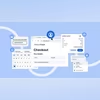 "Google enhances Chrome autofill feature with Wallet support and new design")


 Connect with us on WhatsApp