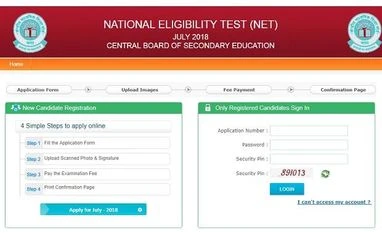
Here are the steps to download the admit cards:
Step 2: Click on the UGC NET at Quick Links section. Click on the "Admit Card- NET July 2018" at the bottom of the page.
Step 3: Insert the details and login
Step 4: Once your admit card displays, download it and take a print out.
Read the instructions written on admit card carefully. In case of any error in the admit card, contact the concerned authority.
CBSE NET EXAMINATION
This year, few changes were made regarding NET examination. Only two examinations will be held for NET selection instead of three. The time period for the exams totals three hours.
The two papers will be conducted on the same day July 8, 2018 (Sunday).
Paper 1 will have 50 objective type compulsory questions carrying two marks each. The questions will be of a GK kind, intended to assess the teaching/research aptitude of the candidate. It will primarily be designed to test reasoning ability, comprehension, divergent thinking and general awareness of the candidate.
The Paper 2 will have 100 objective type compulsory questions carrying two marks each which will be based on the subject selected by the candidate.


 "CBSE NET")