


Google Phone app gets Material 3 Expressive redesign, new call gestures
Google is rolling out a Material 3 Expressive redesign to its Phone app, introducing new call gestures and UI updates, with similar design changes coming to Gmail, Photos, and Messages
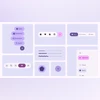 "Google's Material 3 Expressive")
Google's Material 3 Expressive
Listen to This Article
Google has reportedly begun rolling out a new Material 3 Expressive design update for its Phone app on Android. According to a report by 9To5Google, the latest beta of the “Phone by Google” app introduces a sweeping visual overhaul alongside new gesture-based call answering options, including “Horizontal swipe” and “Single tap.”
Google introduced Material 3 Expressive last month at its inaugural “Android Show: I/O Edition,” describing it as the next major visual leap for Android 16. Building on the foundations of Material You, the new design language focuses on dynamic colour theming, playful animations, responsive UI elements, and modernised typography to offer a more personalised, expressive user experience.
Phone by Google app: What is new
With the new update, the Recents tab now displays call logs in rounded rectangular cards, a container style that’s now applied throughout the app — including the Favourites section and dialer screen. The number pad itself remains unchanged, but the background sheet now features rounded corners for visual consistency. Filters like All, Missed, Contacts, Non-Spam, and Spam have also received design updates.
The main Settings menu has been refreshed with the new Material 3 Expressive styling, and now includes a new “Incoming call gesture” option, letting users choose between “Horizontal swipe” or “Single tap” to answer calls. The incoming call screen features a scalloped Material 3 shape that rotates until an action is taken.
Also Read

 "Moto Tag")
 "Tech Wrap June 11")
 "Android 16 on Google Pixel 9a")
 "Google Chrome and Android")
 "Android 16 (Image: Google)")
During an active call, the circular control buttons have been replaced by pill-shaped buttons that morph into rounded rectangles when selected. These include redesigned spacing and a more prominent, wider End Call button.
Material 3 Expressive in other Google apps
In recent weeks, Google has extended the Material 3 Expressive update to several other apps including Gmail, Google Photos, and Google Messages. Here's a quick look at the changes:
Google Photos:
The app now features cleaner layouts with a floating toolbar in albums containing Share, Add photos, and Edit options — previously placed below the album cover. There’s also a new “Show QR Code” button when sharing an album, allowing users to generate scannable QR codes for collaborative sharing.
Gmail:
Some users are seeing early signs of Material 3 Expressive in Gmail, with visual changes including:
- Message lists now displayed on rounded-corner cards.
- Separately layered search bar, menu, and account switcher for improved depth.
- A bolder, more prominent “Compose” floating button.
- Refined swipe animations for archiving emails.
Google Messages:
Material 3 Expressive is also reshaping Google Messages. Changes include:
- Conversation threads displayed in rounded cards.
- The Plus menu now uses pill-shaped containers for Gallery, GIFs, and Stickers.
- A unified toolbar in the emoji keyboard now lets users easily switch between Emoji, GIFs, Stickers, and Photomoji.
More From This Section
 "Gemini song search feature")
 "youtube")
 "apple, apple logo")
 "krutrim")
 "Adobe Project Indigo app on iPhone")
Topics : Android Google apps phone apps
Don't miss the most important news and views of the day. Get them on our Telegram channel
First Published: Jun 20 2025 | 2:55 PM IST