


Google rolls-out custom chatbots 'Gems' for free-tier Gemini users: Details
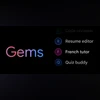
Gems are customisable chatbots within Gemini, which can be created and personalised with a custom set of instructions
 "Google introduces Gems")
Google introduces Gems
Listen to This Article
Google has started to roll out the ability to create custom Gems chatbots to free-tier Gemini users. Google Gems are now available to access on the Gemini app on Android and iOS for all users, however, a new Gem can only be created on the web. Users simply need to name the chatbot, provide it with instructions, and start using it.
What are Gems?
Gems are customisable chatbots within Gemini, which can be created and personalised with a custom set of instructions. Gems can be modified for specific tasks such as writing business emails in a specific format, researching a topic and more.
Also Read

 "New Google Gemini features (Image: Google)")
 "Google Pixel 8a")
 "Google AI")
 "Google Pixel Update")
 "Google Translate appGoogle Translate app")
Besides custom chatbots, Google also offers five pre-made gems, capable of handling specific tasks such as coding, text editing and more. Here are all the pre-made Gems available on Gemini:
- Brainstormer: Helps generate fresh ideas for parties, gifts, businesses, and more.
- Career guide: Offers personalised plans to enhance skills and achieve career goals.
- Coding partner: Supports users in improving their coding abilities, offering guidance on building projects and learning along the way.
- Learning coach: Assists in mastering new concepts by helping users get started and practice.
- Writing editor: Helps refine writing by providing constructive feedback on grammar, structure, and clarity.
How to create Gems
- Visit Google Gemini's official website and log in with your Google Account.
- Go to the "Gem manager" option on the side menu and click on the create new Gem option.
- In the Editor section, provide your custom Gem bot with a name and a set of instructions.
- Click on "Save" to create the Gem.
- You can also check how the Gem responds to a prompt in the "Preview" section.
Google also allows users to add files and images in the "Knowledge" section of the Gem editor, to provide the chatbot with source material. The company said that this helps the Gem to provide more accurate and relevant responses.
More From This Section
 "Tech Wrap March 26")
 "Jaswinder Ahuja, Corporate Vice President and India Managing Director, Cadence Design Systems")
 "Ray-Ban Meta glasses")
 "Microsoft Windows 11")
 "DJ with Apple Music category page (screenshot)")
Topics : Google's AI Gemini AI AI Models
Don't miss the most important news and views of the day. Get them on our Telegram channel
First Published: Mar 26 2025 | 5:40 PM IST