


Microsoft Teams rolls out updates for meetings, calls and security: Details
Microsoft has introduced new Teams features that focus on easier multitasking, better multilingual meetings, improved call tools and stronger protection against impersonation
 "Microsoft Teams update")
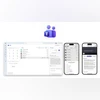
Microsoft Teams now lets users open Microsoft 365 Copilot Chat after calls to view summaries, key points, and suggest next steps directly in the Calls app.
Listen to This Article
Microsoft has rolled out a set of updates for Teams across various categories. According to Microsoft, the latest changes focus on how users organise their workspace, join teams, handle multilingual meetings, manage calls and stay protected from impersonation risks. Additionally, there are updates for frontline workers and admins managing large Teams deployments. The company said that these features are now available to users. Here are the updates rolled out:
Chat and collaboration updates
Separate windows for features
According to Microsoft, Teams now lets users open key functions such as chats, calls, calendar, activity and apps in separate windows. This is meant to help with multitasking and allow users to arrange their workspace the way they prefer. For example, users can keep chats open in one window while checking call history or their calendar in another, without constantly switching tabs. Users can pop out these sections by right-clicking on them or using the app flyout.
Private team joining
Microsoft said that joining a private team with a code will now require approval from the team owner. The company said this change adds an extra layer of security by ensuring that every new member is reviewed, even if they have a join code. This update is intended to prevent accidental or unauthorised access while keeping the joining process simple for approved users.
Interpreter update
As per the company, Teams has improved Interpreter support for multilingual meetings. When enabled, the spoken language is automatically detected and synced with live captions and transcription. If the interpreter is turned off, captions and transcription will still work, but participants must speak in the language manually selected in the meeting settings for accurate results.
A new “preparing” status also appears when the Interpreter is getting ready, helping participants know when it is active. With this update, Interpreter settings now include clearer, shorter explanations for each option and field, making the setup process easier to understand.
Also Read

 "Tech Wrap January 1")
 "Smartphones to be launched in January 2026")
 "VSCO Capture app (Image: AppStore)")
 "OPPO Pad 5")
 "Anand Mahindra")
Teams Phone updates
Microsoft 365 Copilot chat after calls
After a call ends, users can now open Microsoft 365 Copilot Chat directly in the Teams Calls app. Copilot can create call summaries, highlight key points and suggest next steps using information from Microsoft Graph and the web. The company said that Microsoft 365 Copilot Chat delivers responses that are more personalised, relevant and actionable, helping users move from conversation to follow-up.
Compliance recording for call queues
Teams Phone now supports third-party compliance recording at the call queue level. This means all calls routed through a queue can be automatically recorded, which the company said could be useful for organisations with large or changing support teams.
Security tools
Domain impersonation protection
Teams can now flag cases where an external user may be impersonating an organisation’s domain during their first interaction in Teams messages. The system checks the sender’s identity and domain authenticity in real time, alerts users to suspicious activity and helps reduce the risk of phishing.
Frontline Hub for admins
Frontline Hub brings key tools for deploying, managing and monitoring frontline Teams experiences into a single place. It is now available on the Manage frontline teams page in the Teams Admin Center. The company noted that the hub also offers recommendations based on the stage of deployment and provides more connected experiences for frontline workers.
More From This Section
 "Samsung Freestyle projector")
 "Samsung Galaxy S25 Ultra")
 "iPhone 11 Pro, iPhone 8 Plus, Apple Watch Series 5, MacBook Air 2020 Intel, iPad Air 3rd generation")
 "Shane Legg")
 "Generative AI security risks, GenAI adoption in India, Palo Alto 2025 GenAI report, AI-powered cyber threats, Shadow AI risks, AI jailbreak vulnerabilities, data loss prevention GenAI, Zero Trust security architecture, enterprise AI governance, GenAI")
Topics : Tech News Microsoft Microsoft 365
Don't miss the most important news and views of the day. Get them on our Telegram channel
First Published: Jan 02 2026 | 11:28 AM IST