


Microsoft to power free-to-use NotePad on Windows with AI tools: What's new
Microsoft's new update for Windows Insiders brings AI writing features in Notepad, introduces editable project files option in Paint, and a quick markup tool in Snipping Tool
 "Microsoft Windows Insider update for Notepad and Paint")
Paint, Snipping Tool, and Notepad app updates begin rolling out to Windows Insiders
Listen to This Article
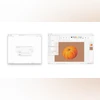
Microsoft has started rolling out new updates to three core Windows 11 apps – Paint, Snipping Tool, and Notepad – for Insiders in the Canary and Dev Channels. This update expands creative options in Paint with project files and opacity controls, introduces a Quick markup feature in Snipping Tool for on-the-fly annotations, and also brings AI-powered writing tools to Notepad on Copilot Plus PCs.
This update has been released to Windows Insiders for now to test and gather feedback. Soon, these might be rolled out widely to Windows users across the globe after incorporating the necessary changes based on the feedback.
Windows Insider update: What’s new
Notepad update: AI-powered writing tools
Notepad (version 11.2508.28.0) is gaining AI support with features such as Summarise, Write, and Rewrite. These tools are currently available only on Copilot Plus PCs and support the use of the English language only.
Also Read

 "Microsoft 365 Copilot chat")
 "Puneet Chandok President, Microsoft India and South Asia")
 "Microsoft Word's automatic save")
 "MAI Voice 1, MAI-1-Preview AI models")
 "Microsoft Copilot in Samsung TVs and Monitors")
The features do not require a subscription, though users with one can switch between local and cloud models depending on their needs. This marks one of Microsoft’s broader efforts to integrate AI utilities directly into default Windows apps.
Paint update: Project files and opacity slider
The latest version of the Paint app (version 11.2508.361.0) adds support for saving editable project files. Users can now save work in a new “.paint” file format and reopen it later to continue editing from the same point.
A new opacity slider has also been added to the Pencil and Brush tools, allowing for transparency adjustments in strokes. This feature works in combination with size controls to create layered or blended effects.
Snipping Tool update: Quick markup introduced
Snipping Tool (version 11.2508.24.0) now includes Quick markup, a feature designed to speed up the annotation process. After enabling it from the toolbar or using the shortcut (Ctrl + E), users can mark up screenshots directly within the selection area before finalising the capture. The Quick markup toolbar provides pens, highlighters, erase tools, shapes, and emojis. Re-cropping is also possible using perimeter grabbers.
Additional options include sharing images, running a Visual Search via Bing, or sending the capture to Copilot. Microsoft notes that these actions do not automatically save the image or copy it to the clipboard.
More From This Section
 "OnePlus Diwali sale")
 "Ask Gemini in Google Meet")
 "Meta Ray-Ban Display, Ray-Ban Meta (Gen 2), Oakley Meta Vanguard glasses")
 "Apple, Apple store")
 "Nothing Ear 3")
Topics : Microsoft Copilot Microsoft Window Windows 11
Don't miss the most important news and views of the day. Get them on our Telegram channel
First Published: Sep 18 2025 | 1:00 PM IST