Home / Education / News / UMANG CBSE results: How to check CBSE 10, 12 results 2025 via UMANG App
UMANG CBSE results: How to check CBSE 10, 12 results 2025 via UMANG App
CBSE Result 2025 UMANG APP: Apart from the official website, students can also check their CBSE Class 10, 12 results 2025 through the UMANG app. Here's how to do
2 min read Last Updated : May 09 2025 | 3:05 PM IST
CBSE Result 2025 UMANG APP: The Central Board of Secondary Education (CBSE) will soon announce the CBSE Class 10 and Class 12 results for the academic year 2024-25.
Reports claim that the CBSE Board results 2025 are under preparation and will be declared shortly. Once announced, students can check their results through the official websites and the UMANG mobile application.
The Ministry of Electronics and Information Technology (UMANG) app is developed by the Ministry of Electronics and Information Technology for students to check their CBSE Class 10 and 12 results.
The UMANG app is available on both Android and iOS platforms for download.
How to check CBSE Class 10, 12 results 2025 on the UMANG App?
Here are the simple steps to check and download the UMANG App from the Google Play Store or Apple App Store, or through the UMANG official website.
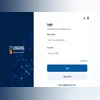
Firstly, create an account using your mobile number and log in.
Click on the ‘CBSE Class 10 or 12 marksheet’ option.
Then all the students need to enter their required details such as their admit card ID, roll number and other credentials as mentioned on your CBSE Admit Card 2025.
Students can download the CBSE Class 10 or Class 12 marksheet directly to their device.

 "UMANG CBSE results: How to check CBSE 10, 12 results 2025 via UMANG App")


