


Elden Ring Nightreign gets 'The Forsaken Hollows' update: How to unlock DLC
Bandai Namco has rolled out Elden Ring Nightreign's Forsaken Hollows DLC, adding new Nightfarers, bosses, and a Shifting Earth event. Here's how you can unlock them
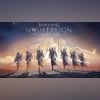 "Elden Ring Nightreign Forsaken Hollows DLC expansion")
Elden Ring Nightreign Forsaken Hollows DLC expansion
Listen to This Article
Japanese video game publisher Bandai Namco has released Elden Ring Nightreign’s downloadable content (DLC) update, titled The Forsaken Hollows. The new expansion adds two Nightfarers, two bosses, and a new Shifting Earth event. However, unlocking these new Nightfarers and bosses has some conditions applied. Here’s how you can unlock them to get the most out of this DLC update.
Notably, Elden Ring Nightreign: The Forsaken Hollows is now available for PC, PS5, PS4, Xbox Series S and X, and Xbox One. For PC, the DLC update is priced at Rs 700.
Elden Ring Nightreign’s The Forsaken Hollows: How to unlock Nightfarers
- Defeat Tricephalos in the base game.
- After that fight, go to Roundtable Hold and speak with the Iron Menial.
- The Iron Menial will have a message from the Small Jar Merchant. Follow that prompt to make the new Nightfarers (Scholar and Undertaker) playable.
Elden Ring Nightreign’s The Forsaken Hollows: How to unlock new bosses and Shifting Earth events
- Defeat at least two bosses in the main game — Tricephalos plus one other boss.
- Make both new Nightfarers (Scholar and Undertaker) playable, per the steps above.
- Then go to the chapel that opens behind the Small Jar Merchant. From there, you can access the Shifting Earth event “The Great Hollows” and the boss encounter for Balancers.
Bandai Namco has said that a post-release update will cause the DLC’s Shifting Earth events, raid events, and new bases to start appearing in Deep of Night even while users undertake base-game expeditions. To see that DLC content appear in Deep of Night, users must matchmake with three players who each own the DLC.
Also Read

 "Tech Wrap December 3")
 "Red Dead Redemption (Image: Rockstar Games)")
 "Assassin's Creed Shadow")
 "GTA Online update")
 "Tech Wrap November 27")
How to download and activate the DLC on each platform
PlayStation 5 and PlayStation 4
- If you bought the DLC separately: search the PlayStation Store for “nightreign” and select Elden Ring Nightreign The Forsaken Hollows PS4 & PS5, then download.
- If you already own the DLC via a Deluxe/Collector/Seeker Edition or used a Deluxe Upgrade pack / pre-order, a manual download of the DLC add-on is still required — find it on the PlayStation Store and install.
Xbox Series X and S, and Xbox One
- If you purchased the DLC as part of a Deluxe Edition or pre-order, you must do a manual download.
- After release, the DLC tile will appear under the Elden Ring Nightreign game icon. You can also install from your owned titles list:
- Open My Games & Apps from the home screen.
- Hover over the main Elden Ring Nightreign icon and press the Menu button.
- Choose Manage Games & Add-ons, then select the add-on (The Forsaken Hollows) and install.
Steam (PC)
- For PC users, manual download is not required. As per the publisher, Automatic downloads for The Forsaken Hollows began at 04:30 IST on December 4, 2025.
Notably, access to the DLC also requires Update File 1.03, which the publisher scheduled for release on December 3, 2025. Make sure Update 1.03 is applied before the DLC.
What is Elden Ring Nightreign
Elden Ring Nightreign is an action-RPG built around open exploration, boss encounters and cooperative multiplayer. The game places players in a persistent world featuring large encounters, named bosses, raid-style events (Shifting Earth), and hub areas such as Roundtable Hold and regions like Deep of Night where players can undertake expeditions and matchmake with others.
Gameplay combines single-player progression (defeating bosses, unlocking characters and locations) with multiplayer elements: players can summon or matchmake to tackle raid events and base expeditions, and save-data carryover and cross-generation upgrades are supported for platform owners. The Forsaken Hollows DLC adds new playable Nightfarers, additional boss fights, and new Shifting Earth content that integrates into the multiplayer Deep of Night experience.
More From This Section
 "Apple releases iOS 26.1 update for eligible iPhone models")
 "Spotify Wrapped 2025")

 "Apple iOS 26")
 "Updated Gemini on web")
Topics : Gaming online games online gaming
Don't miss the most important news and views of the day. Get them on our Telegram channel
First Published: Dec 04 2025 | 1:45 PM IST